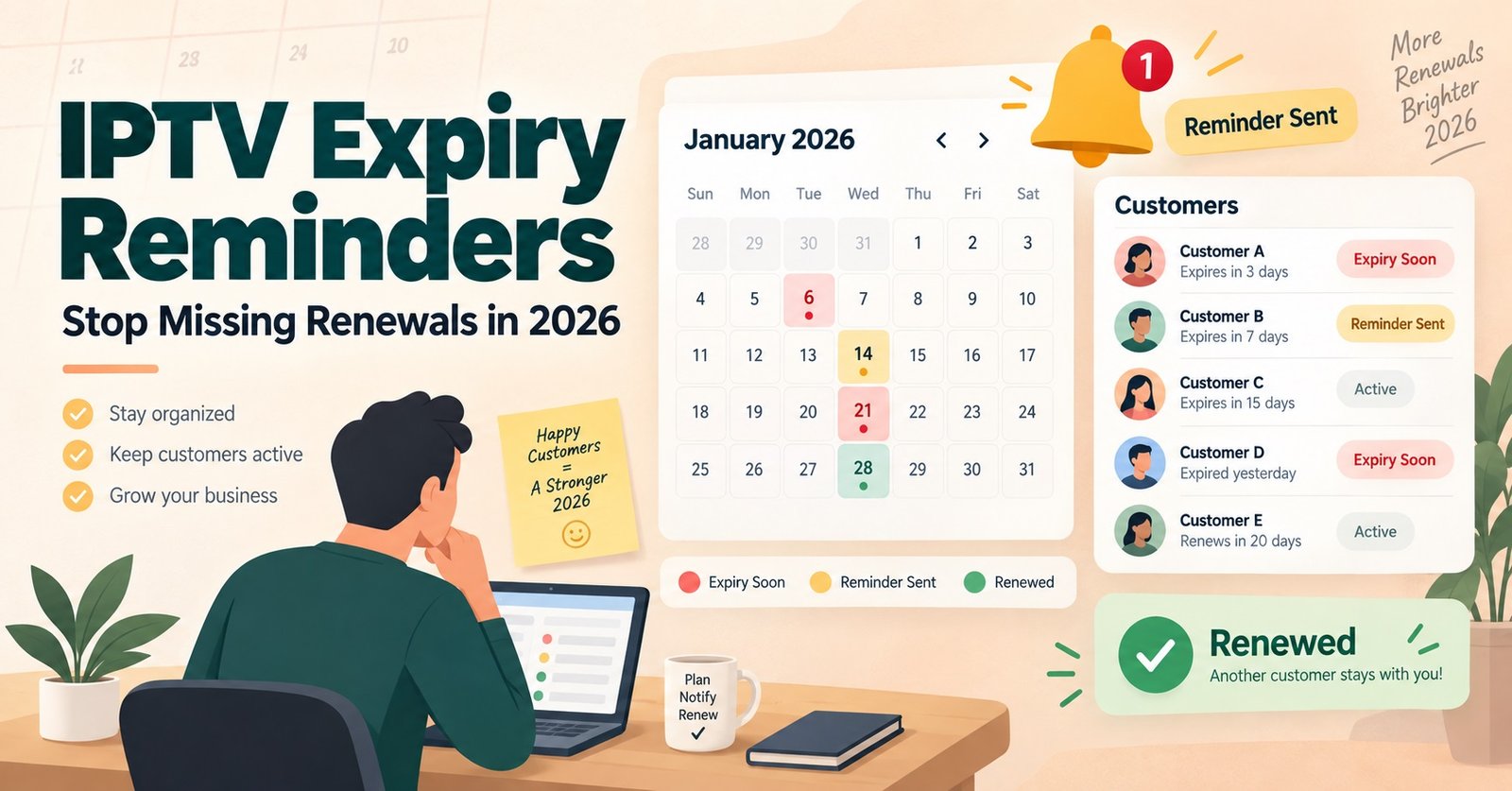

An IPTV subscription expiry reminder is the sequence of alerts, whether automated messages, dashboard flags, or manual check-ins, that tells a subscriber their access is about to lapse before it actually does. Get the timing and channel mix wrong and renewals quietly slip away, not because the customer wanted to leave, but because nobody told them in time.
What an IPTV Subscription Expiry Reminder Actually Covers
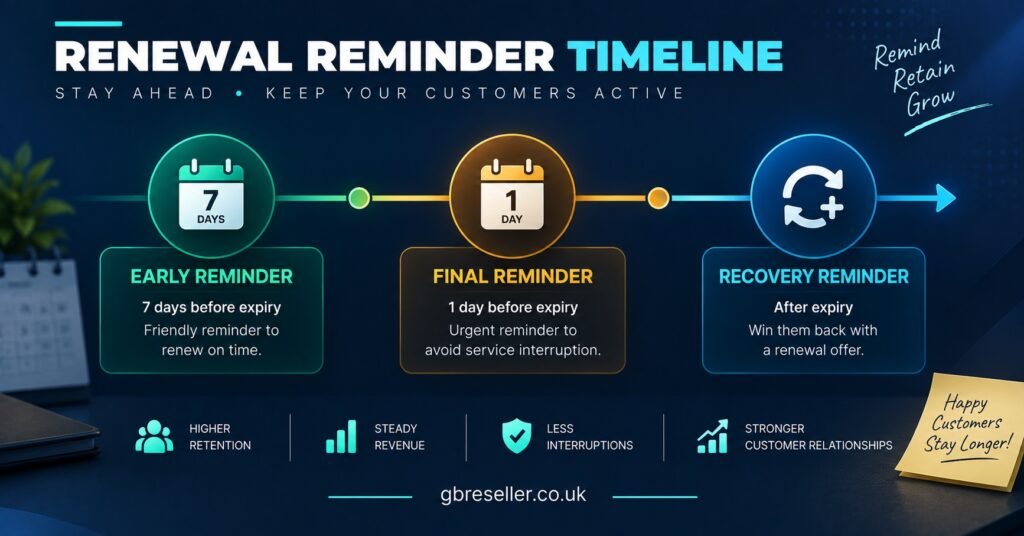
Most IPTV panel resellers think of this as a single email sent a day or two before an account lapses. In practice, a proper reminder system is a short sequence, not one message. It typically spans an early notice while there’s still time to act, a closer reminder near the actual expiry date, and sometimes a final nudge after the account has already gone inactive. Each stage serves a different purpose. The early one gives the subscriber time to plan payment. The closer one creates urgency. The post-lapse message is a recovery attempt, not a warning.
This matters because subscribers rarely track their own renewal dates. Unlike a mobile phone contract, an IPTV subscription doesn’t come with a bill through the letterbox. If nobody tells them, the first sign of a problem is a black screen, and by then the goodwill is already gone.
Why Missed Renewals Happen More Often Than Resellers Expect
A subscription lapsing isn’t usually a sign the customer wanted to cancel. It’s far more often an administrative gap. The subscriber forgot, missed a message buried in an inbox, or assumed a WhatsApp reminder was spam and ignored it. On the reseller side, the gap is just as common: panel dashboards show expiry dates, but few resellers check them daily, and even fewer have anything automated tracking who’s about to fall off.
The cost of this gap compounds. A subscriber who lapses and has to actively re-request access is far less likely to come back than one who simply tops up before the screen goes dark. Every day between expiry and re-contact is a day the customer has to decide whether IPTV is worth the hassle of reactivating, and that’s a decision resellers would rather not hand them.
Building a Reminder Sequence That Doesn’t Feel Like Spam
The instinct with reminders is to send more of them, but a sequence that pings someone daily for a week trains them to ignore every message, including the important one. A tighter, better-timed sequence outperforms a noisy one almost every time.
Timing windows that work
A reasonable structure looks like this: one reminder roughly five to seven days before expiry, giving the subscriber time to arrange payment without pressure. A second, shorter reminder one to two days out, which is where most renewals actually happen. And, where the relationship allows it, a brief follow-up within 24 to 48 hours after expiry for anyone who didn’t act, since some subscribers will renew the moment they’re reminded even after the fact.
Channels worth using
Email works for subscribers who check it regularly, but open rates for transactional emails from unfamiliar senders are often weak. WhatsApp tends to get read faster, particularly for subscribers who already used it to receive their original login details. SMS is a reasonable middle ground for anyone who doesn’t respond to either. The right mix depends on how the subscriber was onboarded in the first place; whichever channel worked for delivering credentials is usually the one that works for renewal reminders too.
| Reminder Stage | Typical Timing | Best-Suited Channel |
|---|---|---|
| Early notice | 5-7 days before expiry | |
| Final reminder | 1-2 days before expiry | WhatsApp or SMS |
| Recovery message | 24-48 hours after expiry |
Pro tip: Keep the final reminder short enough to read in one glance on a phone screen. A long paragraph gets skimmed and forgotten; a one-line message with the expiry date and a renewal link gets acted on.
What to Automate vs What Needs a Human Touch
Not every part of this needs a person behind it, and trying to manually track expiry dates across dozens or hundreds of subscribers is where most reminder systems break down in the first place.
Automation earns its place for the early and mid-sequence reminders. Most IPTV reseller panels can export expiry dates, and even a basic spreadsheet formula or a simple scheduling tool can trigger a templated message on schedule without anyone remembering to send it. This is where consistency comes from; a reminder that goes out reliably on day seven beats a manual one that gets forgotten half the time.
A human touch matters more for the recovery stage and for higher-value or long-standing subscribers. A generic automated message after someone’s already lapsed can read as indifferent. A short, personal follow-up from an actual person, referencing how long they’ve been a subscriber, tends to recover more accounts than a templated nudge.
Pro tip: For subscribers on annual or multi-month packages, add an extra early-stage reminder around three to four weeks out. Longer subscription terms mean longer gaps since the last payment interaction, and people forget further out than you’d expect.
Common Mistakes That Undermine Reminder Systems
The most frequent mistake is relying on a single reminder and assuming it did its job. One message, sent once, catches only the subscribers who happened to see it at the right moment. Everyone else lapses.
A second mistake is sending reminders from a channel or number the subscriber doesn’t recognise. If the original onboarding happened over WhatsApp from one number and the renewal reminder arrives from a different, unfamiliar one, it can read as spam or even a scam attempt, and gets ignored or blocked.
A third, quieter mistake is treating every subscriber identically regardless of how long they’ve held the subscription or how they’ve paid in the past. A subscriber who’s renewed on time for two years doesn’t need the same urgency-heavy wording as someone who’s lapsed twice already. Reusing one tone for everyone wastes the chance to tailor the message where it would actually help.
Handling Subscribers Who Still Let It Lapse
Even a well-timed sequence won’t catch everyone. Some subscribers genuinely don’t want to continue, and treating every lapse as a mistake to be fixed can come across as pushy. The more useful approach is to separate the two groups quickly: subscribers who respond positively to a recovery message and simply needed the nudge, and subscribers who go quiet across every channel after multiple attempts.
For the second group, one final low-pressure message, perhaps a week or two after expiry, is usually enough before moving on. Continuing to chase after that point rarely converts anyone and can damage the reseller’s reputation with a subscriber who might otherwise have returned on their own terms later. Keeping a simple record of who’s been contacted and when also prevents the awkward situation of sending the same subscriber three separate reminders because nobody checked the log.
Reseller Renewal Reminder Checklist
- Export or review expiry dates from the panel dashboard on a set schedule, not ad hoc
- Set an early reminder five to seven days before expiry for standard subscriptions
- Add an extra early reminder for annual or long-term packages
- Send the closest reminder from the same channel used during onboarding
- Keep the final pre-expiry message short and action-focused
- Reserve personal, non-templated follow-ups for recovery attempts and long-standing subscribers
- Log who’s been contacted at each stage to avoid duplicate or missed messages
- Stop chasing after one final low-pressure recovery attempt if there’s no response
Frequently Asked Questions
How many reminders should an IPTV subscription expiry reminder sequence include?
Two to three is usually enough: an early notice, a closer reminder near the expiry date, and an optional recovery message afterwards. More than that tends to get ignored rather than acted on.
Should reminders be automated or sent manually?
A mix works best. Automating the early and mid-sequence reminders keeps timing consistent, while manual, personal follow-ups tend to work better for recovering lapsed long-term subscribers.
What’s the best channel for sending expiry reminders?
Whichever channel the subscriber already used during onboarding, since a message from an unfamiliar number or address is more likely to be ignored or flagged as spam.
Is it worth reminding subscribers after their subscription has already expired?
Yes, briefly. A short recovery message within a day or two of expiry catches subscribers who simply missed the earlier reminders, though this should stop after one attempt if there’s no response.
How is an expiry reminder different from a trial conversion message?
An expiry reminder targets an existing paying subscriber whose current term is ending, while a trial conversion message targets someone deciding whether to become a paying customer for the first time. The tone, timing, and purpose of each are different, and mixing the two usually weakens both.
Conclusion
A working IPTV subscription expiry reminder system doesn’t need to be complicated, but it does need to be consistent. A short, well-timed sequence, delivered on a familiar channel and backed by a simple log of who’s been contacted, catches far more renewals than a single message sent once and hoped for. Where the schedule can be automated, automate it; where a subscriber needs a human response, particularly during recovery, make that effort count.
For resellers building this out for the first time, reviewing how IPTV reseller credits are structured alongside renewal timing can help align reminder cycles with actual billing periods, and the operational habits covered in IPTV reseller panel earnings strategies go into more detail on tracking expiring subscriptions day to day.