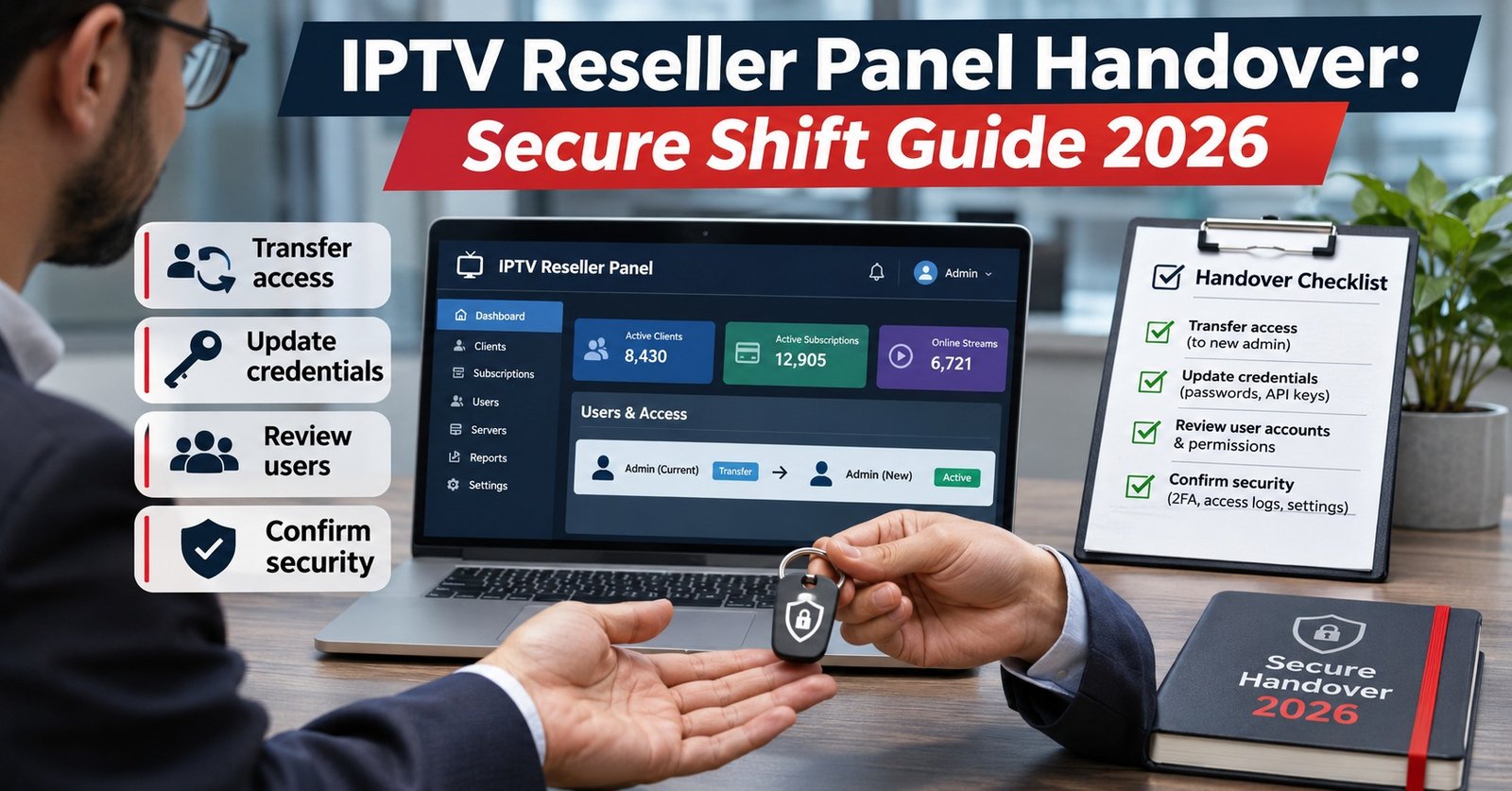

An IPTV Reseller Panel Handover is the moment one person stops being responsible for your reseller dashboard and another takes over, and a good one transfers four things in writing: open customer issues, panel actions that are half finished, the current credit position, and anything that has to happen before the next shift ends. If the incoming person has to scroll back through a group chat to work out what’s pending, the handover hasn’t really happened.
Notice what isn’t on that list: passwords. The safest handovers move responsibility, not credentials. When each person signs in with their own staff or sub-reseller login, the note can simply say “trial created for the Bristol enquiry, not yet converted” without anyone touching the master account, and every action stays traceable to the person who took it. That one habit makes the rest of the process far easier to check when something goes wrong in the small hours.
What Actually Changes Hands at the End of a Shift
Finished work already lives in the panel. The line you created, the renewal you applied and the credits you spent all show up in the dashboard and its activity log. Unfinished work lives in someone’s head, and that’s the part that leaks when people swap over.
In most reseller dashboards, unfinished work falls into a handful of groups:
- Customer conversations still open, whether they’re waiting on you, on the customer or on your IPTV provider
- Panel actions in progress, such as trials about to lapse, renewals promised but not yet applied, or a line extended before payment arrived
- The credit position: how many IPTV credits remain and whether known renewals will use them up before the next top-up
- Escalations raised upstream, with their reference and the time they were raised
- Anything time-bound that falls inside the next shift
A handover is not a daily report, and it isn’t a copy of the chat log. It’s a short list of open obligations with a named next action against each one. If you’re newer to the way a dashboard separates lines, credits and renewals, this explanation of how a IPTV reseller panel handles lines, credits and renewals is worth reading first, because the template below assumes you know where each of those lives.
A Handover Note Template Built Around the Panel
The format matters less than consistency. Whether the note sits in a shared document, a ticketing tool or a pinned message in a staff-only channel, every shift should fill in the same fields in the same order, so the incoming person knows exactly where to look.
| Field | What to write | Example entry |
|---|---|---|
| Shift and time zone | Who hands to whom, with the time and the zone written out | Day cover to night cover, 22:00 GMT |
| Credit position | Balance now, plus known demand before the next top-up | 14 credits, 2 renewals due before 09:00 |
| Waiting on us | Account reference, problem, last action, next action | Line ukc-0412: renewed 21:40, app still shows expired. Next: ask for a full app restart, then re-check line status |
| Waiting on customer | Reference and what was requested | Line ukc-0388: device model requested 20:50 |
| Waiting on provider | Escalation reference, time raised, symptom | Provider ticket raised 20:15, playback errors reported on several lines |
| Expiring before next shift | Trials and lines lapsing, with any promise made | Trial tr-0091 ends 08:00, follow-up message promised |
| Do not touch | Anything paused on purpose, and why | Line ukc-0270 suspended pending payment, do not extend |
| Access changes | Logins created, reset or disabled this shift | None |
Use account references, not customer names, phone numbers or email addresses. The incoming person can open the line in the panel to see the detail, and the note itself stays free of personal data that doesn’t need to be copied anywhere.
Pro tip: Write each next action as an instruction someone else can carry out without messaging you, such as “if the customer replies with the model, send the setup guide for that device”, rather than a bare “follow up”.

Worked UK Example: A Late Evening Changeover
The following is a hypothetical scenario, built to show the process rather than describe any real business. Picture a small UK IPTV reseller business with two people on support. The owner covers the UK day and early evening, and a colleague abroad covers overnight and the early morning.
At 21:45 GMT, fifteen minutes before handover, the outgoing person stops starting new tasks. They filter the panel for lines expiring in the next twelve hours, scan the activity log for anything they began but didn’t finish, and check the credit balance. Then they fill in the template exactly as shown in the table above.
Three things in that note deserve a closer look.
The renewal on ukc-0412 has been applied, but the customer’s app still shows the account as expired. That’s a common timing issue, since many apps cache account status until they’re fully closed and reopened. The note doesn’t just say “renewal problem”; it says what’s been done and what to try next, so the night cover isn’t left guessing whether to renew again (which would waste a credit).
The credit position reads 14 credits with two renewals due. That’s comfortable for known demand, but the outgoing person also writes down whether the night cover may buy more credits if a larger order arrives, and up to what limit. Spending authority is easy to forget until someone needs it at 3am. It also helps if the owner has already settled on which credit package sizes the business normally buys, so a top-up doesn’t turn into a judgement call.
Line ukc-0270 sits under “do not touch”. Without that line, a well-meaning colleague could see a customer complaining about a suspended account and extend it, undoing a deliberate decision about non-payment.
At 22:00 the night cover reads the note and replies in the same thread with an acknowledgement and one question about the provider ticket, while the outgoing person is still reachable. Their first actions are the restart instruction on ukc-0412 and setting a reminder for the trial follow-up before 08:00.
One more practical detail: UK clocks went back on 25 October 2026, so a colleague in a country that doesn’t observe daylight saving now has a different gap to UK time than they did in summer. Writing “22:00 GMT” or “22:00 BST” rather than just “10pm” removes the ambiguity twice a year.
Running an IPTV Reseller Panel Handover, Step by Step
Once the template exists, the routine itself is short. A sensible sequence looks like this:
- Wind down before the changeover. Stop opening new tasks around fifteen minutes before the end of the shift and finish anything that takes less than ten minutes. Fewer loose ends means a shorter, clearer note.
- Check the panel, not your memory. Filter for lines and trials expiring before the next shift, and skim the activity log for actions you started. Memory tends to drop exactly the items that cause trouble overnight.
- Write the note in the agreed place. Same location, same fields, every shift. Use account references and keep personal details inside the panel.
- State the credit position and the limits. Record the balance, known demand, and what the incoming person is allowed to spend or approve.
- Hand over live conversations openly. If a customer is mid-conversation, let them know a colleague will pick it up, so a change in reply style or timing doesn’t feel like being ignored.
- Get an acknowledgement, not a read receipt. The incoming person should confirm they’ve taken ownership and ask any questions while the outgoing person can still answer.
- Close your own session. The outgoing person logs out of the dashboard, and the incoming person works from their own login rather than inheriting an open browser tab.
That last step sounds trivial, but it’s what keeps the activity log honest. If two people’s actions appear under one login, any later review of a disputed renewal or a missing credit becomes guesswork.
Access That Moves With the Rota, Not the Password
The weak point in many small IPTV panel reseller operations isn’t the panel software; it’s a single master login shared between everyone who helps out. Handovers then turn into password handovers, and passwords pasted into chat apps get forwarded, backed up, exported and left on phones long after the person has stopped working with you.
Most panels support separate logins with their own permissions, often through a sub-reseller or staff role. Setting that up properly, with a fixed credit allowance and restricted settings, is covered in this guide on creating sub-reseller logins with limited permissions. For overnight cover, it often makes sense to give the role enough credit headroom for expected renewals and trials, but not enough to absorb a large order without the owner’s approval.
A few further habits make a real difference:
- Turn on two-step verification wherever your panel and provider portal support it
- Keep any credential that genuinely must be shared, such as a provider portal login, in a password manager rather than in messages or the handover note
- Never put a password, reset link or one-time code in the handover note, even “just for tonight”
- When someone stops covering shifts, disable their login the same day and reassign their open items in the next handover
Individual logins also change how a handover reads. Instead of “I did a few renewals”, the incoming person can see exactly which lines were touched and by whom, which turns the note into a guide to the log rather than a replacement for it.

Where Handovers Quietly Fail
“Follow up” with no owner and no time. A vague action survives the handover on paper and dies in practice. Every open item needs a next step and, where it matters, a deadline.
The note is buried in a busy group chat. A handover posted between unrelated messages gets scrolled past. A pinned thread, a dedicated channel or a shared document that only holds handovers is much harder to miss.
Customer personal data copied into the note. Names, numbers and addresses then exist in one more place, often one with weaker access control than the panel. References are enough.
Credit surprises at the start of the day. The incoming person discovers a near-empty balance just as renewals fall due, and customers lapse while someone arranges a top-up. Recording known demand alongside the balance prevents this.
Escalations nobody mentions. If the night cover doesn’t know a provider ticket exists, they may raise a duplicate or tell customers nothing is known. The reference and time raised belong in every note until the issue closes.
Undoing deliberate decisions. Extending a line suspended for non-payment, or re-enabling an account paused for suspected sharing, usually happens because the reason wasn’t written down.
Skipping the note on quiet nights. Quiet shifts are exactly when an expiring trial or a promised callback slips through, because nothing else prompts anyone to look.
A Note on Data and Weekend Clocks
A handover note is a business record, and if it holds anything that identifies a customer, it’s personal data too. Keeping it minimal is the simplest protection.
The other reason handovers matter here is security incidents. If a shift discovers something like a leaked login or an exported customer list, the next shift needs to know immediately. Under UK data protection rules, a personal data breach that is likely to put people at risk must be reported to the ICO as soon as possible and, where feasible, within 72 hours, and that 72-hour window makes no allowance for evenings or weekends. A breach noticed on a Friday night shift can’t wait for Monday because nobody passed it on. The ICO’s breach reporting guidance is the place to check the current position, particularly as the ICO has said this guidance is under review following the Data (Use and Access) Act 2025.
It’s also worth being clear about scope. A tidy handover process improves how a business runs its IPTV support, but it says nothing about whether the content being delivered is licensed. IPTV is a delivery technology, and lawful use depends on proper distribution rights, which is a separate question from how well your team passes work between shifts.
Outgoing Shift: Ten-Minute Checklist
- Stop starting new tasks and finish anything under ten minutes
- Filter the panel for lines and trials expiring before the next shift ends
- Skim the activity log for actions you began but didn’t complete
- Record the credit balance, known renewals and the spending limit for the next shift
- List every open item with a reference, last action and next action
- Add provider escalations with their reference and time raised
- Mark any deliberate suspensions or pauses as “do not touch”, with the reason
- Note any logins created, reset or disabled
- Flag any possible security or data incident at the top of the note
- Wait for a written acknowledgement, answer questions, then log out of your own session
Questions Teams Ask About Shift Handovers
Should the handover note live inside the panel or somewhere else?
Most IPTV panel reseller dashboards aren’t built for shift notes, so a separate shared document or a staff-only channel usually works better. The important part is that it’s one fixed place with restricted access, and that the note points to accounts in the panel rather than duplicating their details.
How long should a handover take?
For a small team, the written note plus acknowledgement is often a matter of minutes once the template is familiar. If it regularly takes much longer, that’s usually a sign too much work is being left open at the end of shifts, rather than a problem with the handover itself.
What if the outgoing person forgets something important?
The incoming person should be able to ask while the outgoing person is still reachable, which is why the acknowledgement step matters. After that, the activity log under individual logins is the fallback for reconstructing what happened.
Do sub-resellers need to be part of the handover?
Only where your team supports their customers or their credits. If a sub-reseller relies on you for escalations, any open issue involving them belongs in the note in the same way as a direct customer’s, with their reference rather than personal details.
Is a handover needed when someone leaves the team permanently?
Yes, and it’s the most important one. Their open items need reassigning, their login should be disabled the same day, and any shared credential they ever had access to should be changed.
Making the IPTV Reseller Panel Handover Routine
An IPTV Reseller Panel Handover works when it’s boring: the same fields, the same place, individual logins, and a written acknowledgement every time, including the nights when nothing much happened. None of it requires special software, but it does depend on your panel supporting separate staff or sub-reseller access, so if yours still runs on one shared master login, fixing that is the first job. Draft the template, use it for a week, and adjust the fields to match the questions your night cover actually ends up asking.