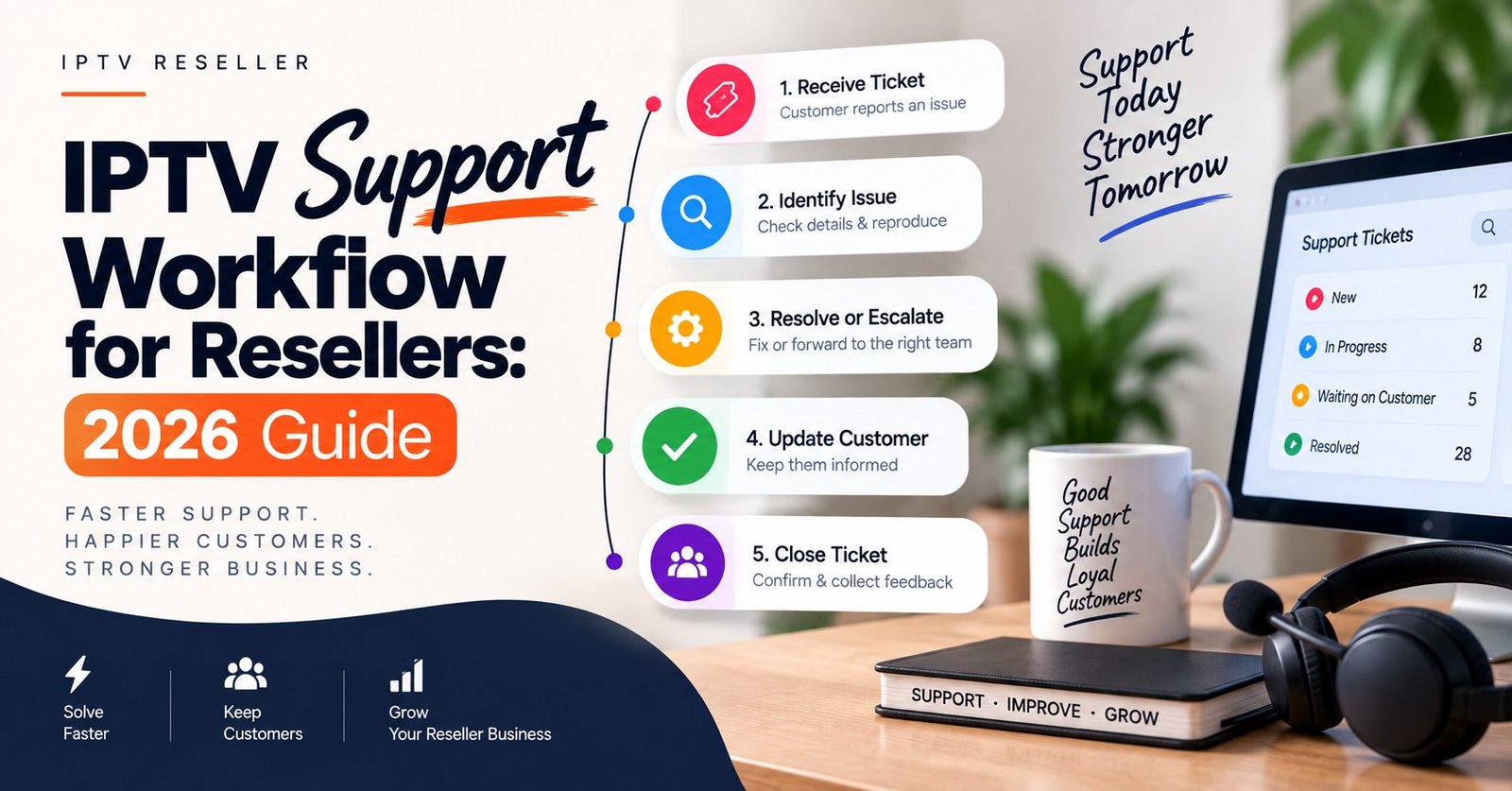

Most IPTV Panel reseller support problems are not technical at all. An IPTV Support Workflow fixes the sequencing instead: who answers first, which checks run before anything is changed, and the exact point where a fault stops being yours and becomes the panel provider’s. In practice that means four repeatable stages, capture the complaint with enough detail to act on, classify how wide the fault is, resolve it at your level if the tools allow, and escalate with evidence if they do not.
The mistake that costs resellers the most time is treating every message as a brand new puzzle. Nearly all subscriber complaints fall into a handful of shapes, and the single most valuable thing you can establish in the first minute is whether the problem affects one line, one category of content, one device, or the whole panel. Get that wrong and you will spend twenty minutes resetting a customer’s app while a server-side fault quietly spreads through your other accounts.
The First Reply Does More Work Than the Fix
The opening message sets the pace of the whole ticket. A reply that says “I’ll check” starts a conversation. A reply that asks for the three or four things you always need starts a diagnosis.
Decide now what your standard first response asks for, and use it every time regardless of how the complaint is worded. Customers rarely volunteer useful detail, not because they are being difficult, but because they do not know which details matter.
The details worth collecting on every ticket
- The device and the app being used, named specifically rather than “my TV”
- What exactly fails: everything, one category, one item, or one screen
- The wording of any on-screen message, typed out or photographed
- When it started, and whether anything changed beforehand such as a router swap, an app update or a new device
That last point catches more faults than any other. A subscriber who “changed nothing” but replaced their broadband router two days ago has told you where to look.
Pro tip: Save your intake questions as a pinned message or saved reply in whichever chat tool you use, so the first response takes seconds and never varies by mood or hour.
Sorting the Fault Before You Touch the Panel
Before you reset a line, extend an account or reissue credentials, work out the scope. Changing things at random destroys the evidence you would need if the fault turns out to be upstream.
| What the subscriber reports | Likely scope | First move |
|---|---|---|
| Nothing loads at all, on any device | Account or line level | Check line status, expiry date and simultaneous connection count in your dashboard |
| One category fails, everything else is fine | Source level, not customer level | Reproduce on your own test line before replying |
| Slowdowns only during busy evening hours | Capacity or local connection | Ask whether other devices in the home stream normally at the same time |
| Works on one device, fails on another | App or device configuration | Recheck credentials entry, app version and available storage on the failing device |
| Several of your customers report the same failure together | Panel or server side | Escalate straight away with timestamps and affected usernames |
The bottom row is the one to be strict about. A cluster of near-identical complaints inside a short window is not five customer problems, it is one provider problem arriving five times, and treating it as five separate tickets wastes the window in which it could have been fixed quickly.
Building an IPTV Support Workflow That Holds Up Under Volume
A workflow that only exists in your head works fine at ten subscribers and collapses at eighty. The point of writing it down is that the same input produces the same output whether you are alert on a Tuesday morning or half asleep on a Sunday night.
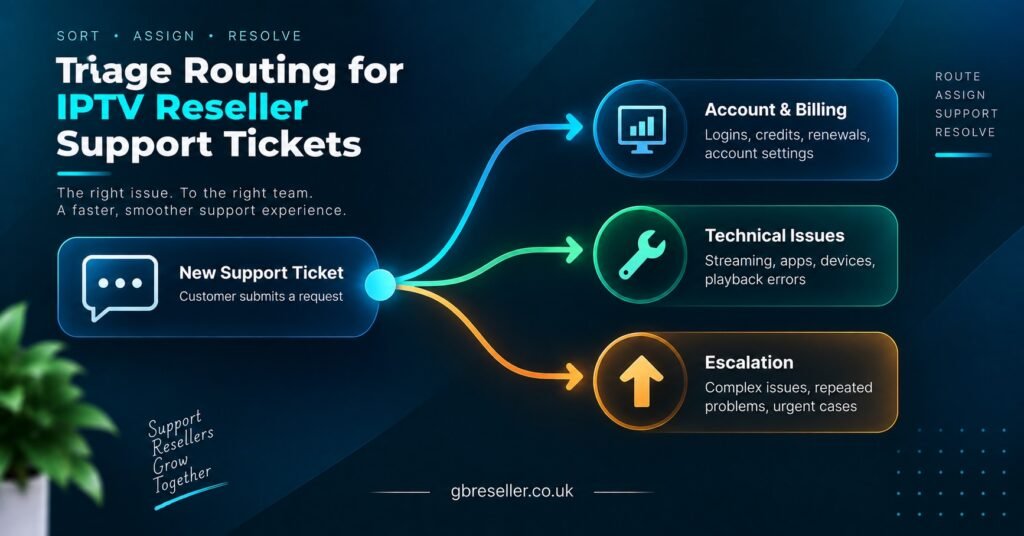
A workable IPTV Support Workflow has five fixed stages:
Intake. One channel, or at most two, where support requests actually arrive. If customers can reach you across four different apps plus email plus comments on a social post, nothing gets tracked and things get missed.
Triage. Scope the fault using the table logic above. Label it before acting.
First-line action. Define in advance what you are permitted to do without escalating. Typically that covers checking line status and expiry, confirming connection limits, reissuing credentials, guiding a reinstall or cache clear, and confirming device compatibility. Anything outside that list is not a first-line action, it is guesswork.
Escalation. A single defined path to your provider, with a required evidence set attached.
Closure and record. The ticket ends when the customer confirms it works, not when you believe you have fixed it. Then the cause and the fix get written down.
Resellers running more than a few dozen lines usually reach a point where memory stops being a filing system. That is the stage where a light CRM setup built around subscriber records and ticket history pays for itself, because the second time a customer contacts you, you can see what happened the first time.
Where Your Responsibility Ends and the Provider’s Begins
This is the line most IPTV panel resellers draw badly, usually in one of two directions. Some escalate everything, which slows their provider down and makes genuine outages harder to spot in the queue. Others escalate nothing, sitting on a panel-wide fault for two hours while apologising to customers for something they cannot possibly fix.
A reasonable division: if the fix exists inside your dashboard or on the customer’s device, it is yours. If it involves source availability, guide data, server capacity or anything affecting multiple unrelated accounts simultaneously, it belongs upstream and should go there immediately.
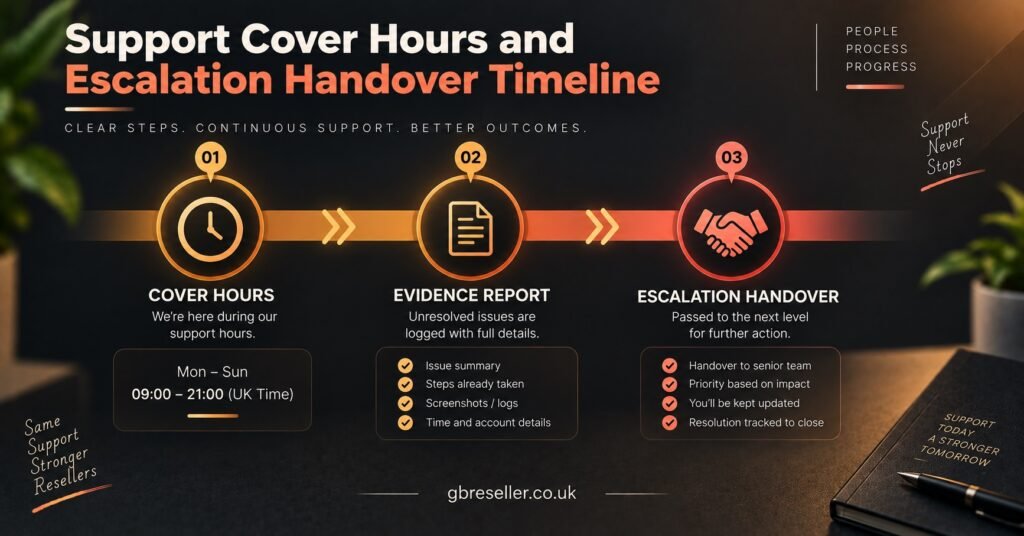
What to include when you escalate
- The line or username affected, exactly as it appears in your dashboard
- Date and time of the failure with your timezone stated
- Device and application in use
- The precise section or item affected, described generically rather than by brand
- Confirmation of whether you reproduced the fault on your own test line
- A screenshot or short screen recording where the error is visible
That last one changes escalation from an opinion into a report. Providers can act on reports.
Pro tip: Keep one line on your panel that is never sold, purely for reproducing faults yourself. Without it, every escalation you send is secondhand and every provider reply starts with a request for more information.
Cover Hours You Can Actually Keep
Support quality is judged against expectation, not against the clock. A reseller who publishes clear hours and answers reliably inside them will be rated better than one who promises constant availability and goes quiet for six hours.
Set your published hours around when demand actually lands. Complaints cluster in the evenings, when people sit down to watch something, and around renewal dates. If you cannot cover late evenings personally, say so plainly and set an automatic acknowledgement that gives a realistic reply window rather than silence.
Renewals deserve their own attention because they generate a support burden that is entirely preventable. A large share of “my account stopped working” messages are simply expired lines, and a structured IPTV subscription expiry reminder sequence removes most of them before they ever reach your inbox.
A Closed Ticket Should Leave Something Behind
The difference between a reseller whose workload grows with subscriber count and one whose workload flattens is what happens after the fix. If the resolution is only in the chat history, you will solve the same problem again next month from scratch.
Write down two things per resolved ticket: the symptom as the customer described it, and the action that actually worked. Over a few months that becomes a genuine reseller knowledge base you and your customers can both use, which turns your most common tickets into self-service links.
The same records give you early warning. When the same device or the same app keeps generating complaints, that is a setup instruction problem rather than a support problem, and it usually shows up in your numbers before you notice it in your inbox. Repeat faults on the same accounts are one of the clearest predictors of cancellation, which is why support records and subscriber churn tracking are worth reading together rather than separately.
Pro tip: Once a month, sort your resolved tickets by cause rather than by date. The top two causes are almost always fixable at the onboarding stage instead of the support stage.
Frequently Asked Questions
Should subscribers be allowed to contact my panel provider directly?
No. The moment a customer speaks to your supplier, you lose control of the relationship, the pricing narrative and the account ownership. Keep escalation strictly reseller to provider, and relay updates back yourself.
How quickly should a reseller respond to a support message?
There is no universal standard, so set one you can meet consistently during your published hours and state it openly. Predictability matters more than speed; a guaranteed reply inside a stated window beats an occasional instant answer followed by long silences.
One customer reports a fault nobody else has. Where do I start?
Reproduce it on your own test line first. If it works for you, the problem sits with their device, app version, credentials or connection, and the fix is on their side. If it fails for you too, it is upstream and needs escalating.
Is a ticket system better than handling support through chat apps?
Chat apps suit low volumes and feel personal, which customers like. The weakness is history: threads scroll away and nothing is searchable by fault type. Many IPTV resellers keep chat as the customer-facing channel and log outcomes separately, which preserves the convenience without losing the record.
How do I stop the same faults returning every month?
Treat repeat causes as onboarding failures. If three customers a month struggle with the same device, your setup instructions for that device are inadequate, and rewriting them once removes the tickets permanently.
Why does support load spike at certain times rather than spreading evenly?
Two overlapping reasons: viewing habits concentrate in evenings and weekends, and renewal dates cluster around whenever you activated batches of subscribers. The second is within your control if you stagger activations.
Turning the Workflow Into Daily Practice
A reliable IPTV Support Workflow is not a document you write once and file away, it is a short set of decisions made in advance so that they do not have to be made under pressure. Fixed intake questions, an honest scope check, a defined list of first-line actions, one escalation path with evidence attached, and a written record at closure. That structure handles the overwhelming majority of subscriber issues without drama.
It will not solve everything. Source-level faults, capacity problems at peak times and device limitations sit outside your reach no matter how good your process is, and pretending otherwise damages trust faster than admitting the limit. What the workflow does is ensure those cases reach the right place quickly, with enough information to be acted on.
Start with the smallest version: write your intake questions and your escalation evidence list today, use them on the next five tickets, and adjust from what those five teach you.
Escalation Readiness Checklist
- A test line on your own panel that is never sold to a customer
- Standard intake questions saved as a reusable reply
- A written list of the actions you will take before escalating anything
- One named contact route to your provider, with expected response hours known
- A fixed evidence set attached to every escalation: username, timestamp with timezone, device, app, affected section, reproduction result
- A simple log of resolved causes reviewed monthly
- Published support hours stated on your sales page and repeated at activation
- An automatic acknowledgement covering the hours you are unavailable