
An IPTV Reseller Panel Change Log Template is a simple, append-only record of every deliberate change made in your reseller dashboard: who changed what, on which account, when, why, and what it looked like before and after. Twelve columns in a shared spreadsheet cover most small operations, and the template below can be copied straight into Google Sheets or Excel.
Your panel probably keeps some activity history already, and that history is useful, but it records what the system saw rather than the reasoning behind it. When a sub-reseller disputes a top-up, or a customer insists their connections were cut without warning, a timestamp on its own rarely settles anything. The value of your own log sits in the columns a panel cannot fill: the reason, the approval, whether anyone was told, and how you confirmed the change actually worked.
What a Reseller Change Log Covers (and What It Leaves Out)
A change log answers one question months after the event: why does this account, balance or permission look the way it does today? To do that, it only needs to capture deliberate actions that alter something. Looking up an expiry date is not a change. Extending it is.
In practice, the changes worth logging fall into three groups. Account-level changes include new lines, renewals, package switches, connection limit adjustments and manual expiry edits. Money and credit changes cover credit purchases, transfers to sub-resellers, refunds and corrections. Operational changes are the ones people forget: staff access granted or removed, a revised price list, updated portal or server details in your customer setup messages, or a new player app you start recommending.
The log is not your customer database. Names, phone numbers, addresses and payment details belong in a properly secured subscriber record, and the change log should point to that record by reference rather than copying it. If you have not separated the two yet, the guide on keeping subscriber records separate and secure explains the split in more detail.
It also proves nothing about content rights. A tidy log shows how your business operates; it does not establish that the service you resell holds proper distribution rights. That question needs checking with your provider directly, because IPTV is a delivery technology and lawful use depends on licensing.
The IPTV Reseller Panel Change Log Template
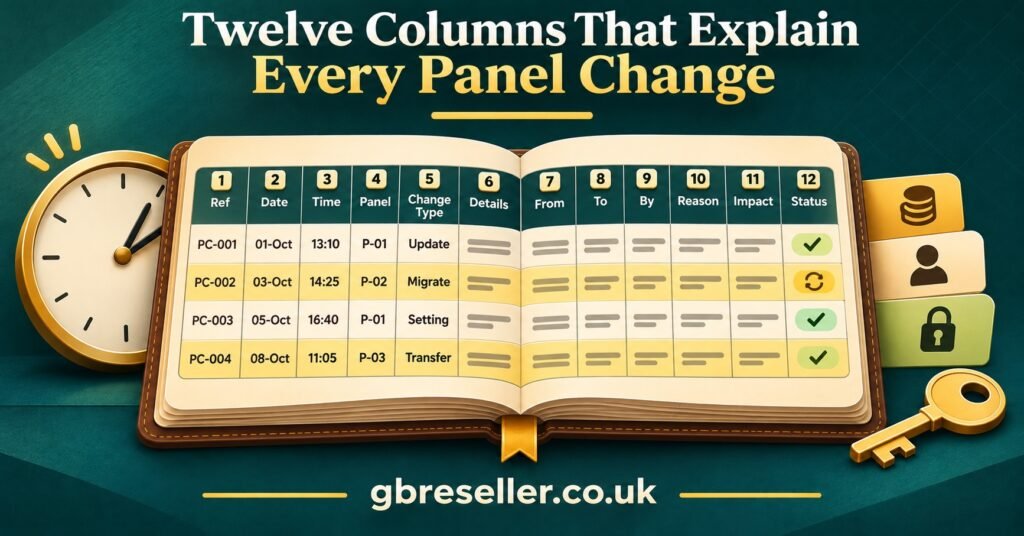
Here are the twelve columns, in the order they work best when you fill a row from left to right during an actual change.
| Field | What to record | Example entry |
|---|---|---|
| Change ref | Sequential ID, never reused or renumbered | CL-2026-0214 |
| Date, time and zone | When the change happened, with GMT or BST stated | 28/10/2026 14:12 GMT |
| Made by | The named person or individual panel login | Owner (login: admin_ak) |
| Change type | One value from a fixed dropdown list | Credit transfer |
| Affected account | Panel username or internal reference only | sub_north02 |
| Before | The value or state before the change | Balance: 6 credits |
| After | The value or state afterwards | Balance: 26 credits |
| Reason | Plain-English explanation plus request or ticket reference | Top-up requested, ticket T-0882 |
| Approved by | Who authorised it, if not the person making it | Co-director (MA) |
| Credit impact | Credits moved, deducted or returned, with direction | 20 out of main balance |
| Told | Whether, when and how the affected party was informed | Yes, 28/10 by email |
| Verified and status | How you confirmed it worked, then Done, Reverted or Pending | Balance checked in panel; Done |
The Change type column matters more than it looks. Free-text categories drift within weeks (“credits”, “credit top up”, “topup”), which makes filtering useless. A fixed dropdown keeps the log searchable. A sensible starting list is: New line, Renewal, Package change, Connection limit, Expiry edit, Credit purchase, Credit transfer, Credit adjustment, Staff access, Permission change, Portal or server details, Price list, and Correction.
The Affected account column works best when your panel usernames follow a predictable pattern. If they currently look random, a consistent account naming convention will make every row easier to trace.
Putting the Template to Work in Six Steps
A template only earns its keep if it is filled in consistently. These steps turn the columns above into a working habit rather than a spreadsheet nobody opens.
- Write a one-line logging rule. Something like: “Log anything that changes access, credits or what a customer receives.” Pin it at the top of the sheet. Anyone unsure whether to log something should log it.
- Build the sheet with guard rails. Freeze the header row, apply data validation to Change type, Told and Status, and protect the header so columns cannot be renamed or deleted. Both Google Sheets and Excel (when stored in OneDrive or SharePoint) keep version history, which gives you a fallback if a row is overwritten by mistake.
- Fix the reference format before the first entry. CL plus year plus a four-digit number is enough. Never reuse a number, even for a row logged in error; mark that row as void instead.
- Log at the moment of change. Fill the Before column before you click save in the panel, then complete After and Verified once the panel confirms it. Entries written from memory at the end of the day are where wrong account names and missing times creep in.
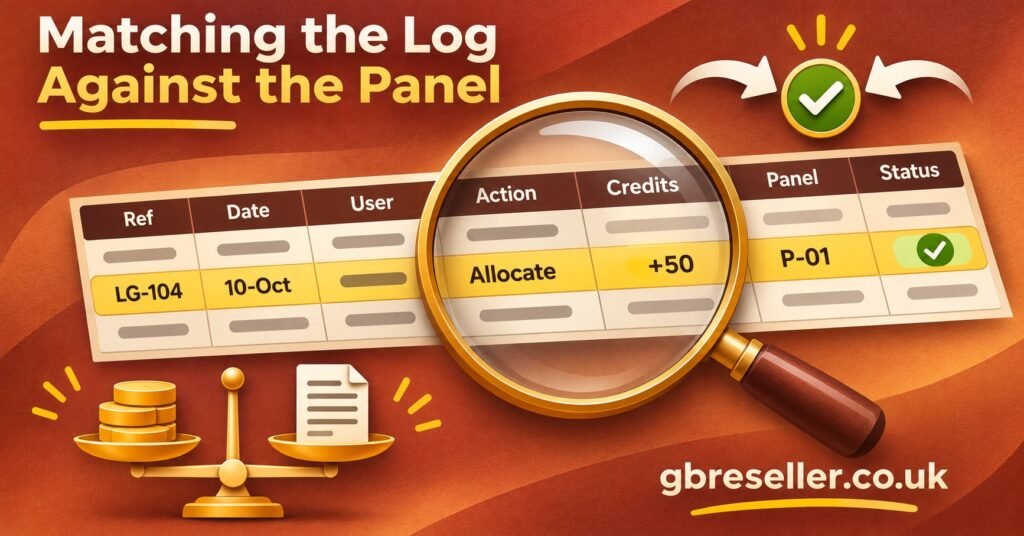
- Reconcile weekly. Compare the week’s credit-related rows against the panel’s own credit history and your invoices. Any mismatch becomes a Correction entry, not an edit to the original row.
- Review and archive on a schedule. Once a quarter, check for blank Reason or Approved by cells and fix the habit behind them. At year end, export a read-only copy and start a fresh tab.
Retention deserves a moment’s thought, because the log mixes two kinds of information. Rows that reflect credit purchases and paid transfers may form part of your financial records, and for limited companies GOV.UK guidance says to keep company and accounting records for six years from the end of the last financial year they relate to.
Sole traders generally keep business records for at least five years after the 31 January Self Assessment deadline. Personal data is the opposite pressure: the ICO’s data minimisation guidance is clear that holding more than you need is likely to breach UK GDPR. Referencing accounts by username rather than by name keeps the log useful for the full retention period without hoarding personal details. Your accountant can confirm the right period for your structure.
Pro tip: Add a hidden helper column that concatenates Change ref and Affected account. Searching one column for “sub_north02” then returns that account’s full history in date order.
One Week in a Small UK Reseller’s Log
The following is an illustrative scenario, not a real business: a two-person IPTV panel reseller in the West Midlands with two sub-resellers, logging changes in the week after the clocks went back on 25 October 2026 (hence GMT throughout). Credit figures are examples only, as deduction rules differ between providers.
| Ref and time | What changed | Reason, approval and proof |
|---|---|---|
| CL-2026-0211, 26/10 10:05, staff (JB) | Line UK-1187: connections 1 to 2; panel deducted 1 credit | Customer request, ticket T-0869; customer emailed same day; second device tested by customer |
| CL-2026-0212, 27/10 16:40, staff (JB) | Line UK-1230: Package A to Package B | Intended for UK-1203 per ticket T-0874; error spotted at verification |
| CL-2026-0213, 27/10 16:52, staff (JB) | Correction of 0212: UK-1230 reverted to Package A; UK-1203 moved to Package B | Owner approved; both customers told by email; 0212 marked Reverted |
| CL-2026-0214, 28/10 14:12, owner | sub_north02 balance 6 to 26 credits; 20 out of main balance | Top-up request T-0882; payment matched to invoice INV-311 |
| CL-2026-0215, 29/10 09:30, owner | Former assistant’s panel login disabled; shared support inbox password reset | Assistant left 28/10; login attempt confirmed blocked |
| CL-2026-0216, 30/10 11:00, owner | Portal address updated in customer setup message template | Provider notice dated 29/10; no individual lines edited; message template version 4 saved |
Two rows show why the format earns its place. Entries 0212 and 0213 record a mistake honestly: the wrong line was changed, caught within twelve minutes, and fixed with a new entry that references the old one. Nothing was deleted, so anyone reading later can see exactly what happened to customer UK-1230 and why they received an unexpected email.
Then, on 3 November, sub_north02 messages to say the top-up never arrived. Without a log, that becomes a back-and-forth of screenshots and memory. With one, the owner filters for the account, finds CL-2026-0214, sees the before and after balances, the ticket reference and the matched invoice, and checks the panel’s credit history for the same timestamp. The answer is factual rather than a matter of who sounds more confident. If the panel had disagreed with the log, that discrepancy itself would have been the useful finding.
Sub-reseller relationships are where these records tend to matter most, since credit moves between two businesses. If your structure is still taking shape, the walkthrough on setting up sub-reseller accounts covers the permissions side.
Where Change Logs Usually Go Wrong
Recording the action without the reason
“Changed package” tells a future reader almost nothing. The Reason column is the one most often left blank and the one that matters most in a dispute. Linking it to a ticket reference makes it quicker to fill and easier to check; if requests currently arrive through scattered chats, a ticket system for support requests gives every change a traceable origin.
Editing old rows
The temptation to tidy a wrong entry is strong. Resist it. An edited row looks identical to an honest one, which destroys the log’s credibility. Add a Correction entry that references the original and mark the original as Reverted.
Relying on the panel’s activity history alone
Built-in histories vary widely between panels. Some keep limited retention, some cannot be exported, and almost none record why a change was made or who approved it. The panel is also controlled by your provider, so its history can disappear if you move. Treat it as a cross-check, not as your record.
Pasting credentials and personal data into the sheet
Line passwords, customer phone numbers and payment details should never appear in a change log. A log that is safe to share with a co-director or accountant is far more useful than one that needs locking away.
Shared logins
If three people use the same panel login, the Made by column becomes guesswork. Individual logins, where your panel supports them, are what make accountability possible.
Batching at the end of the day
Six changes remembered at 11pm will produce at least one wrong time or account. Logging during the change is slower by seconds and saves far more time later.
Setup Checks Before Your First Entry
- One-line logging rule pinned above the header row
- Header frozen and protected so columns cannot be renamed
- Dropdowns applied to Change type, Told and Status
- Reference format agreed, with a void-row process for errors
- Time zone convention decided (state GMT or BST on every entry, or log everything in UTC)
- No column that invites passwords, phone numbers or payment details
- Each person with panel access has their own login where the panel allows it
- Weekly reconciliation day chosen and added to someone’s calendar
- Retention period confirmed with your accountant
- Year-end archive and fresh-tab process written down
Questions Resellers Ask About Change Logs
Is a spreadsheet good enough, or do I need dedicated software?
For a small operation, a protected spreadsheet with version history is enough. Dedicated tools become worthwhile when several staff log changes daily or when you want entries created automatically from a ticket or panel integration.
Should I log changes that failed?
Yes. A failed credit transfer or a renewal the panel rejected is exactly the kind of event that causes confusion later. Log it with status Pending or Reverted and a note on what happened.
Do sub-resellers need their own change log?
Ideally, yes, for the changes they make on their own customers. Your log should still record anything you do to their account, such as transfers, permission edits or suspensions, because those affect both businesses.
How detailed should the Before and After columns be?
Detailed enough that someone unfamiliar with the account understands the change without opening the panel. “Package A to Package B” is fine; “updated” is not.
Who should be able to edit the log?
Everyone who makes panel changes needs to add rows. Fewer people should be able to alter the header, dropdowns or protection settings, ideally only the owner or directors.
Making the Log a Habit
An IPTV Reseller Panel Change Log Template is only as good as the discipline behind it: twelve columns, filled at the moment of change, never edited after the fact, and checked against the panel each week. It will not prevent mistakes, and it cannot tell you whether a provider’s content is properly licensed, but it turns arguments about credits, packages and access into quick factual checks. Copy the field table into a new sheet today, log your next real change in full, and look at where you hesitated. That gap is usually the first habit to fix.