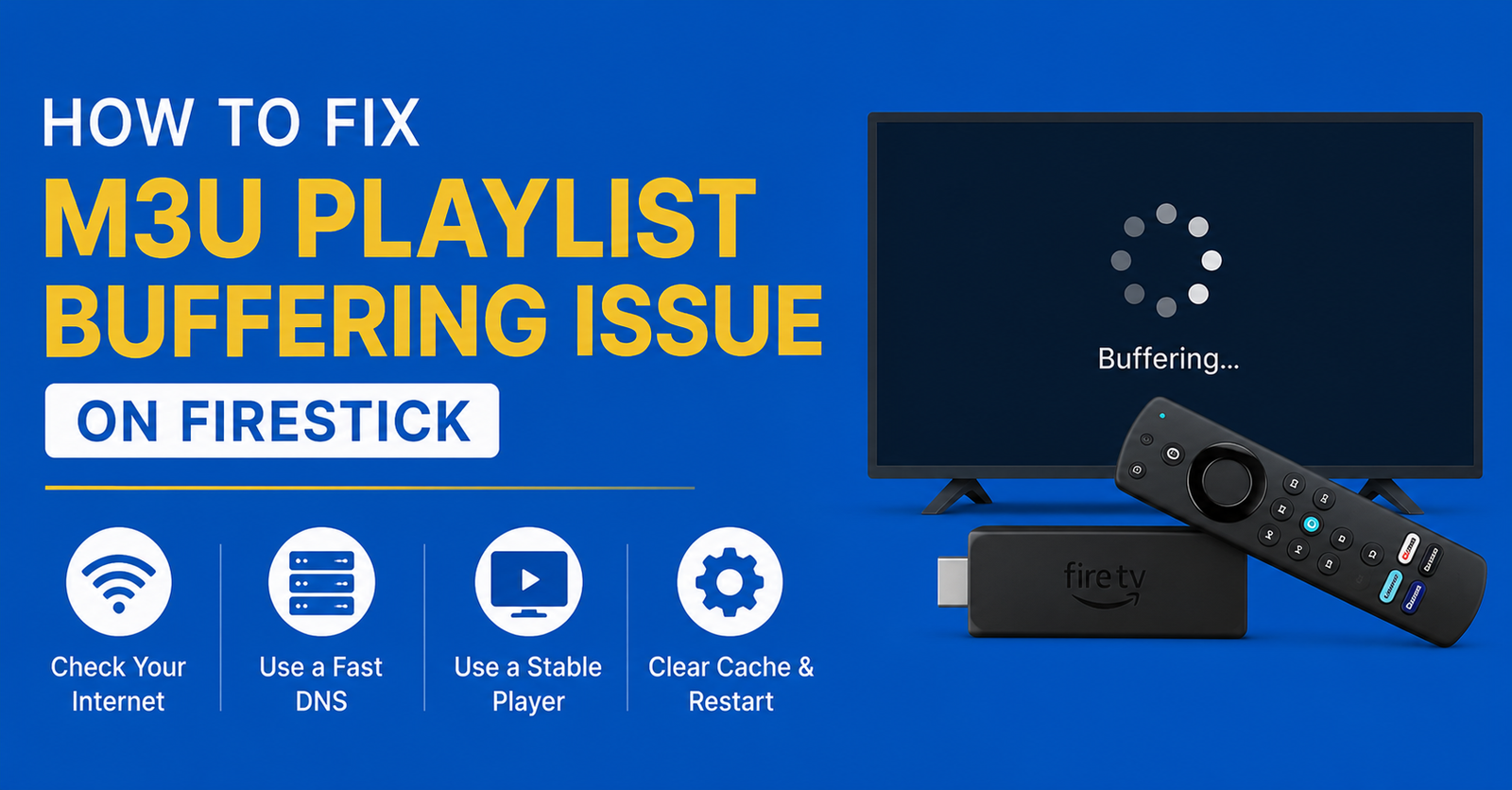

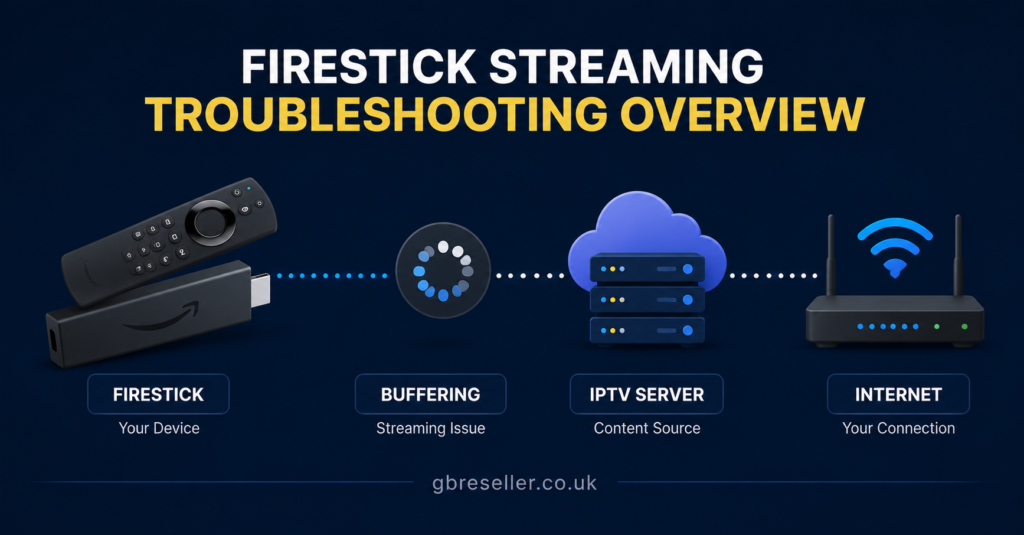
If your stream keeps freezing, the fastest way to fix M3U Playlist Buffering Issue on Firestick is to work through four things in order: your Firestick’s connection strength, the app you’re using to load the playlist, your DNS and network settings, and finally the load on the provider’s servers. Most buffering on Firestick comes down to a weak Wi-Fi signal, an overloaded player app, or a provider struggling during peak hours rather than a fault with the M3U file itself. Once you know which of these it is, the fix usually takes a few minutes.
Why Firestick Struggles With M3U Playlists More Than Other Devices
Firestick devices are compact and built to a price point, which means they have less processing headroom than an Android TV box or a smart TV with a dedicated chipset. When an M3U playlist contains a large number of channels, or when the connected app tries to load thumbnails and EPG data for all of them at once, the Firestick’s limited RAM gets stretched. This shows up as buffering, slow channel switching, or the app freezing for a few seconds after launch.
It’s not always the Firestick’s fault, though. A playlist is just a list of stream links. The actual video comes from wherever those links point, so if the source server is slow, the Firestick will buffer regardless of how good your home network is. Working out which side of that line the problem sits on is the first real diagnostic step.
Checking Your Wi-Fi Signal First
Before touching any app settings, confirm the Firestick itself has a stable connection. Go to Settings, then Network, and check the signal strength shown next to your Wi-Fi name. A Firestick sitting far from the router, especially behind a TV unit or a wall, will often show a weak signal that’s just barely enough for browsing but not for continuous video.
A few practical checks:
- Move the router closer to the TV if possible, or use a mesh extender in the room with the Firestick
- Avoid running the Firestick on a 2.4GHz band if a 5GHz network is available, since 5GHz handles video streaming better at short range
- Restart the router if it’s been running for several days without a reboot, as some routers slow down under prolonged uptime
Pro tip: Use an Ethernet adapter for the Firestick if your router supports it. A wired connection removes Wi-Fi interference entirely and is often the single biggest fix for persistent buffering.
How the App You Use Affects M3U Playback
The player app matters as much as the playlist. Some IPTV player apps handle large M3U files efficiently with lazy loading, meaning they only fetch what’s currently visible. Others try to load the entire channel list and EPG data in one go, which can overwhelm a Firestick’s memory and cause buffering before a single stream has even started.
If you’re using a general-purpose player, check whether it has a cache or buffer size setting. Increasing the buffer slightly can smooth out playback on unstable connections, though setting it too high will make channel changes feel sluggish. If the app hasn’t been updated in a long time, that’s also worth checking, since older app versions sometimes have known playback bugs that later updates resolve.
| App Behaviour | Likely Effect on Firestick |
|---|---|
| Loads full EPG on startup | Slower launch, possible freeze on large playlists |
| Lazy-loads channel thumbnails | Faster startup, smoother scrolling |
| No adjustable buffer setting | Less control over playback stability |
Fix M3U Playlist Buffering Issue on Firestick: DNS and Network Settings
DNS resolution speed can quietly cause buffering that looks like a streaming problem but is actually a lookup delay. Every time the app requests a stream, it has to resolve the server address, and a slow or congested default DNS from your ISP can add noticeable delay, particularly during evening peak hours when many households are online at once.
Switching to a public DNS such as Cloudflare or Google DNS through your router settings, rather than on the Firestick itself, can shave off this delay for every device on the network. This isn’t a guaranteed fix for all buffering, but it’s a low-risk change that resolves a meaningful share of intermittent freezing issues.
It’s also worth checking whether your ISP applies traffic shaping during busy periods. Some UK ISPs do throttle certain types of traffic at peak times, which can affect streaming regardless of app or DNS settings.
Understanding Provider-Side Load and Server Capacity
If your Wi-Fi is strong, the app is up to date, and DNS is fast, but buffering still happens mainly in the evening or during major sports fixtures, the bottleneck is likely on the provider’s side rather than yours. IPTV streams rely on the provider’s server infrastructure to handle every connected viewer at once. When too many people pull from the same server during a busy window, everyone’s stream can degrade at the same time.
This is true across the industry and isn’t unique to any one provider. A service like Skip This, used here only as an illustrative example, would face the same load pressure as any other IPTV service if too many subscribers connect to one server during a peak event. There’s no way to verify server capacity or uptime claims from the outside, so the practical approach is to watch for patterns: if buffering consistently lines up with specific times of day, that’s a server-load signal rather than a device fault.
Pro tip: Keep a simple note of when buffering happens. If it clusters around 7pm to 10pm or during televised sport, mention that pattern to your provider’s support team. Specific timing helps them diagnose the issue far faster than a general “it keeps buffering” report.
Good Signs Versus Warning Signs When Diagnosing the Problem
| Good Sign | Warning Sign |
|---|---|
| Buffering only on one specific app | App itself needs updating or replacing |
| Buffering only during peak evening hours | Provider server load, not your setup |
| Smooth playback over Ethernet, buffering over Wi-Fi | Wi-Fi signal or interference issue |
| Buffering across every app and every channel | Base network or ISP throttling problem |
Restarting the Right Way
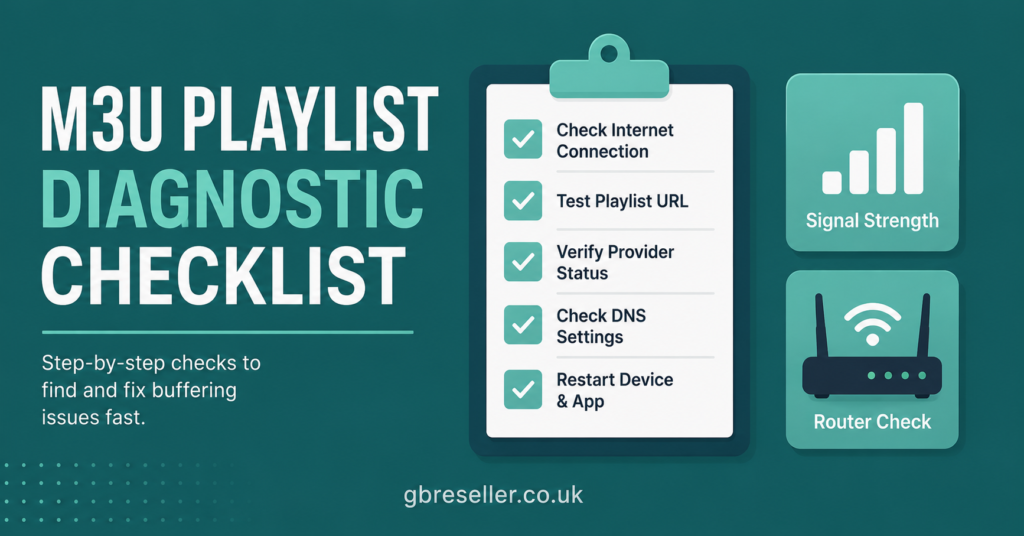
A full restart of both the Firestick and the router, done together rather than separately, clears cached network states that can build up over days of use. Unplug the router for thirty seconds before restarting the Firestick, then let the router fully reconnect before switching the Firestick back on. This order matters more than people expect, since restarting the Firestick alone while the router still holds a stale connection often doesn’t help.
Clearing the app’s cache from Firestick Settings, under Applications and Manage Installed Applications, is another step that’s easy to skip but genuinely useful. A bloated cache from weeks of use can slow down how quickly the app processes a large M3U file.
What Subscribers Should Check Before Contacting Support
Subscribers dealing with buffering should confirm the basics before assuming the worst. Test the same M3U playlist on a phone or laptop using a different app. If it plays smoothly there, the issue is Firestick-specific, likely app or memory related. If it buffers everywhere, it’s either the home network or the provider’s server load.
Check the account for any device limit being reached, since some subscriptions restrict how many screens can stream at once. Running the same line on multiple devices simultaneously, beyond what the subscription allows, can cause buffering that looks like a technical fault but is actually a permissions issue.
What Resellers Should Check When Customers Report Buffering
Resellers fielding buffering complaints should ask a few structured questions before escalating to their own panel provider: what device, what app, what time of day, and whether it’s one customer or several reporting it at once. A single customer with a weak home Wi-Fi signal needs different advice to five customers all buffering during the same evening window, which points to a shared server issue upstream.
Keeping a simple log of buffering reports by time and server helps resellers spot patterns fast and gives their panel provider useful diagnostic detail rather than a vague complaint. This is one of the more overlooked parts of running a stable reseller operation, since customer trust often depends on how quickly a pattern gets identified and passed up the chain.
Panel providers with dedicated infrastructure and responsive support, such as the setup described on GB Reseller Panels’ features page, tend to make this escalation process faster because there’s a direct line to someone who can check server load in real time rather than a support queue.
Common Mistakes That Make Buffering Worse
| Mistake | Better Approach |
|---|---|
| Reinstalling the app repeatedly without checking network first | Test Wi-Fi signal strength before touching the app |
| Ignoring the time pattern of buffering | Log when it happens to separate network issues from server load |
| Running multiple devices on one weak router | Prioritise Ethernet or a stronger router for the streaming device |
| Assuming every buffering issue needs a new provider | Rule out local network and app causes first |
Pro tip: If buffering only happens on one channel category, such as sports channels during live events, that’s almost always a server congestion pattern rather than anything wrong with your Firestick.
When Switching Providers Actually Makes Sense
If buffering is consistent, happens across multiple devices and apps, and support has been unresponsive to reports of a clear time pattern, it may be reasonable to look at other options. Before switching, check a provider’s transparency around business registration, refund terms, and how support is actually handled, rather than relying on marketing claims about speed or reliability. Resellers evaluating a new panel supplier can review how a dashboard and credit system works on a page like GB Reseller Panels’ dashboard overview to understand what operational control looks like before committing.
Anyone comparing panel packages for a reseller business should also look at the IPTV reseller credit plans available, since credit structure and refund terms vary between providers and affect how much risk sits with the reseller if a batch of customers experiences buffering during a busy period.
A Note on Legitimate Use
IPTV is a delivery method, not a content source in itself, and whether a particular playlist or service is legitimate depends on the content rights and distribution permissions behind it rather than how professional the website or app looks. Buffering troubleshooting applies the same way regardless of the source, but subscribers and resellers alike should check a provider’s terms, business transparency, and content rights position as part of normal due diligence, not just its streaming performance.
Frequently Asked Questions
Why does my M3U playlist only buffer on Firestick and not on my phone?
This usually points to a device-specific issue rather than the playlist itself. Firestick has less memory than most phones, so a heavy app or large channel list can cause buffering there while the same playlist runs smoothly on a phone or laptop.
Does changing DNS settings actually help with IPTV buffering?
It can help in cases where slow DNS resolution is adding delay before a stream starts. It won’t fix buffering caused by weak Wi-Fi or an overloaded provider server, so it’s one step among several rather than a guaranteed solution.
Is buffering during football matches or big events normal?
Increased buffering during high-traffic events is common across the IPTV industry, since more viewers connecting to the same servers at once increases load. It’s worth noting whether this pattern is consistent before assuming a fault with your own setup.
Should I use Ethernet instead of Wi-Fi for my Firestick?
Ethernet, via a compatible adapter, removes Wi-Fi interference and signal strength as variables entirely. It’s one of the more reliable fixes for persistent buffering, particularly in homes with several devices competing for the same Wi-Fi band.
How do I know if the problem is my provider rather than my Firestick?
Test the same playlist on a different device and app. If buffering happens everywhere at the same times of day, particularly during peak hours, the issue is more likely server load on the provider’s side rather than your Firestick or home network.