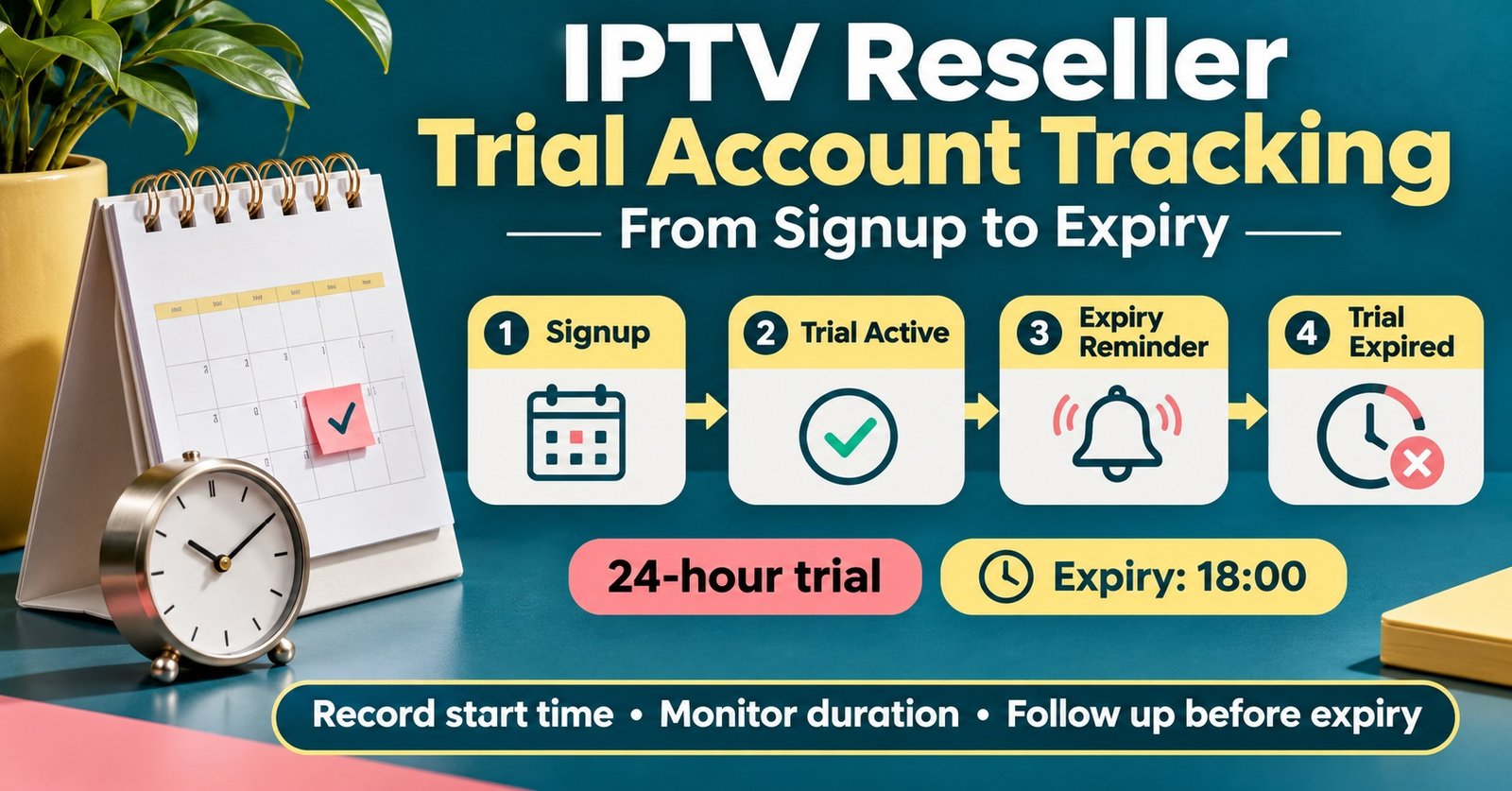

IPTV Reseller Trial Account Tracking means keeping one record of every test line you create, from the moment it is issued until it either becomes a paid subscription or expires and is closed. At minimum, that record needs five things: who the trial is for, when it started, when it ends, which device and app they are using, and what happened at the end. Get those five right and you can follow up while the trial is still running, instead of noticing a lapsed line three days after the person has lost interest.
Your panel already holds part of this. It knows the username, the creation time and the expiry, and it will show the line as expired once the clock runs out. What it rarely captures is the reason a trial went nowhere: the firestick that wouldn’t load the app, the customer who never opened the login message, the household that wanted two screens and was only given one. That missing half usually lives in chat threads and memory, and it is the half that tells you how to win the next customer.
What IPTV Reseller Trial Account Tracking Actually Records
Think of trial tracking as two layers sitting on top of each other. The first layer is technical and comes straight from your IPTV reseller panel dashboard: line username, start time, expiry time, connection limit and whether the line has been active. The second layer is commercial, and you add it yourself: where the lead came from, what device they have, whether you checked in, and the outcome.
Neither layer is much use alone. Dashboard data without context tells you twelve trials expired last week but not why. Notes without dashboard data drift out of sync, because a line you thought was live may already have closed.
A small set of status labels keeps the two layers aligned. Keep them short and use them consistently, otherwise the sheet becomes impossible to filter:
- Issued: line created, login details sent, no confirmation yet
- Running: the customer has confirmed it works on their device
- Stalled: setup problem or no reply after the login was sent
- Converted: paid line created
- Lapsed: expired with no decision or no response
- Declined: the customer said no, ideally with a reason
One point is worth stating plainly. Tracking trials well does not make the service behind them legitimate. Only issue trials for services you are authorised to resell, because a tidy log of test lines offers no protection if the underlying content isn’t properly licensed.
A Trial Log Template You Can Copy Today
A spreadsheet is enough for most resellers handling fewer than a hundred trials a month. The template below uses the minimum set of columns that still answers the useful questions later.
| Column | Example entry | Why it earns its place |
|---|---|---|
| Trial ref | T-1107-04 | Your own ID, separate from the panel username |
| Panel username | trial_jm2611 | Lets you match the row to the dashboard |
| Lead source | Referral from existing customer | Shows which channels bring buyers |
| Device and app | Fire TV Stick, player app | Explains most setup failures |
| Started / expires | 06/11 19:40 to 07/11 19:40 | Drives every follow-up time |
| Check-in sent | Yes, 07/11 12:00 | Proves the follow-up happened |
| Status | Converted | Filterable outcome |
| Reason (if not converted) | Wanted two screens | Feeds your offer and pricing |
Notice what is missing: passwords, home addresses and payment details. The log should never become a store of login credentials, and it does not need more personal information than a first name and a contact route. Under UK data protection rules you are expected to keep personal data only for as long as you genuinely need it, so decide on a deletion period now (for example, clearing contact details from lapsed trials after a set number of weeks) and stick to it. Restrict editing to yourself and anyone who actually handles trials.
Pro tip: If your panel has a notes or IPTV reseller-comment field on each line, put your trial ref in it. When you’re scrolling through dozens of expired lines, that one reference saves you from guessing which test line belongs to which conversation.
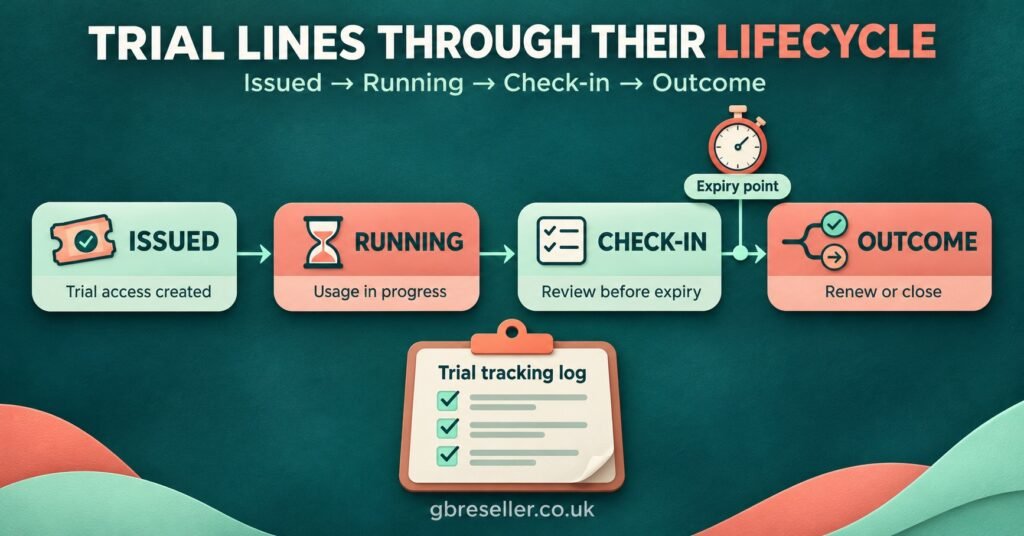
Running a Trial From Creation to Close
The log only works if it’s updated at fixed moments. These are the points where a trial is most likely to be won or lost.
Before you press create
Ask what device the person will use and how many screens they want. It takes ten seconds and changes everything after it. A trial set to one connection for a household expecting two is a trial set up to disappoint. Create the row in your log first, then create the line, so nothing exists in the panel that isn’t recorded.
The first hour
Send the login details with short, device-specific setup steps rather than a generic message. Then ask for one thing: a reply saying it’s working. If that reply arrives, mark the row as Running. If it doesn’t arrive within a couple of hours, move it to Stalled. A stalled trial is still salvageable at this point; the same trial found on its last morning usually isn’t.
The midpoint check
Whether your panel issues short test lines or longer ones, the useful follow-up is roughly halfway through. Ask a specific question: is the picture stable on your connection, has the programme guide loaded, did both screens work? Specific questions get honest answers, and honest answers tell you whether a conversion conversation is worth having.
The expiry window
Make your offer before the line expires, not after. Someone mid-evening on a working trial is far more receptive than someone who has just watched their screen stop. Log the time you sent the offer.
After the line closes
Record the outcome and, where possible, the reason. “No reply” is a valid reason and worth counting, but try one polite message after expiry before marking a trial as Lapsed. If they convert, note the paid line’s username in the same row so you can later see how long trial converts stay as customers.
A Worked UK Example: One Month of Trials
The figures below are a hypothetical illustration, not data from a real business. Picture a sole trader in the Midlands who issued 40 trials in a month and logged each one using the template above.
| Trial group | Trials | Converted |
|---|---|---|
| Never confirmed login | 6 | 0 |
| Setup or device problem | 9 | 2 |
| Running without issues | 25 | 9 |
The headline conversion rate is 11 out of 40, or 27.5%. On its own, that number doesn’t tell this reseller what to fix. The breakdown does.
Six people never confirmed they’d logged in. That points to the onboarding message rather than the service, since those prospects never actually saw what they were testing. Shorter, device-specific instructions and a check two hours after sending would be the obvious first change.
Nine trials hit setup problems and only two of those converted. Seven potential customers were lost to friction before they ever judged the service. If the reason column shows most of them on the same device type, a short tested setup guide for that device is worth more than any discount.
The 25 trouble-free trials converted at 9 out of 25, or 36%. That is the group where pricing, offer timing and screen count matter, and the reason column becomes the real asset. If several people declined because they needed more connections, that’s a packaging decision, not a sales problem.
If your provider deducts credits for test lines, add that cost to the same sheet. Our guide to how IPTV reseller credits work in the UK explains how credit stock behaves, and the same logic applies: a trial that was never going to convert still used up something.
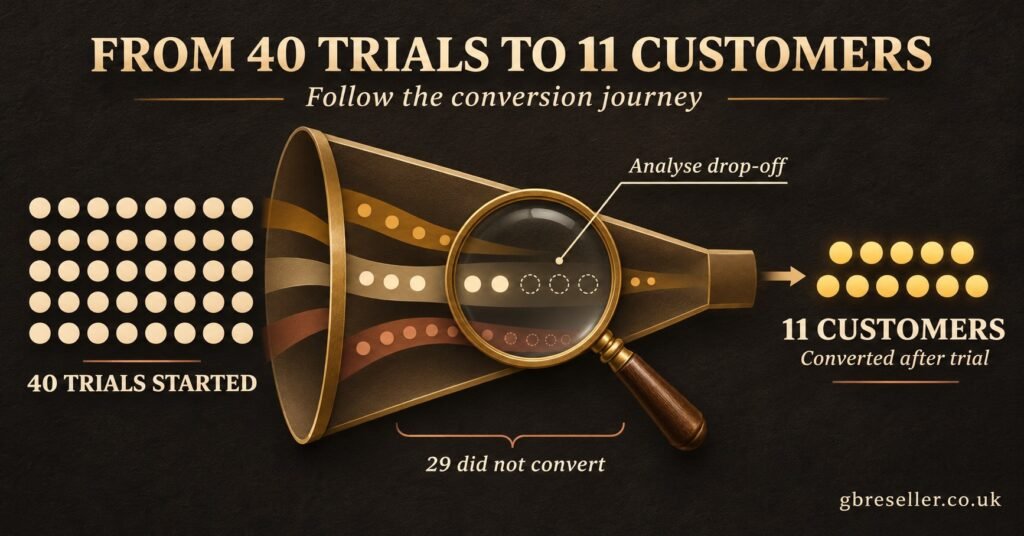
Where Trial Tracking Usually Breaks Down
Logging only the wins
Plenty of IPTV reseller panel record a trial once it converts and ignore the rest. That gives you a list of customers, not a record of trials, and it hides the exact groups in the example above where most of the improvement lives.
Following up after the line has gone dark
An offer sent after expiry competes with the customer’s disappointment. Tie your follow-up to the expiry time in your log, not to when you happen to remember.
Handing out repeat trials without a record
Without a log, the same person can collect several test lines under different names or numbers. Check your sheet before issuing a new trial. A second trial can sometimes be justified, for example when the first was ruined by a device problem, but that should be a deliberate decision you’ve noted, not an accident.
Treating every lost trial as the same
“Didn’t buy” covers people who never logged in, people who hit a setup wall and people who simply found it too expensive. Each needs a different response, so they need different labels.
Letting the sheet quietly grow
Trial logs drift into data stores: old phone numbers, screenshots, shared logins. Keep the columns tight, protect access and clear out personal details on the schedule you set.
Before You Issue the Next Trial
- Device, app and number of screens confirmed with the prospect
- Log row created before the line exists in the panel
- Trial ref added to the line’s notes field, if your panel has one
- Device-specific setup message ready to send
- Two-hour “is it working?” check scheduled
- Midpoint question written for this person’s device
- Offer timed to land before expiry, not after
- Outcome and reason recorded within a day of the line closing
- No passwords or payment details anywhere in the log
Questions Resellers Ask About Trial Tracking
Can I track trials inside the panel without a spreadsheet?
Partly. Most panels show creation time, expiry and status, and some offer a notes field. Few record lead source, follow-up history or the reason someone declined, so a simple external log usually fills the gap.
What is a good trial conversion rate?
There’s no reliable universal benchmark, and any figure quoted without context should be treated cautiously. Compare yourself month to month, and look at the conversion rate of trials that actually ran without problems, because that’s the number your offer and pricing influence most.
How long should I keep trial records?
Keep the outcome data (dates, device type, result, reason) for as long as it helps your analysis. Remove names and contact details from lapsed or declined trials after a fixed period you’ve chosen, since data protection rules expect you not to hold personal data longer than necessary.
Should a trial cost me a credit?
That depends on your provider’s panel rules, so check before you plan a trial campaign. If test lines do use credits, factor that into your stock planning alongside the packages on the GB Reseller Panels pricing page.
Is it worth offering a second trial?
Occasionally, when the first one failed for a reason you can fix, such as an app problem on a specific device. Record why you granted it, so a second trial stays an exception rather than a habit.
Making the Next Trial Count
IPTV Reseller Trial Account Tracking is less about the spreadsheet and more about the moments it forces you to act: confirming the setup worked, checking in halfway, making the offer before the line expires and writing down why someone said no. A month of honest records will usually show that most lost trials fail on setup and silence rather than price. Start with the template above on your next trial, keep the personal data light, and review the reason column at the end of the month before changing anything else.