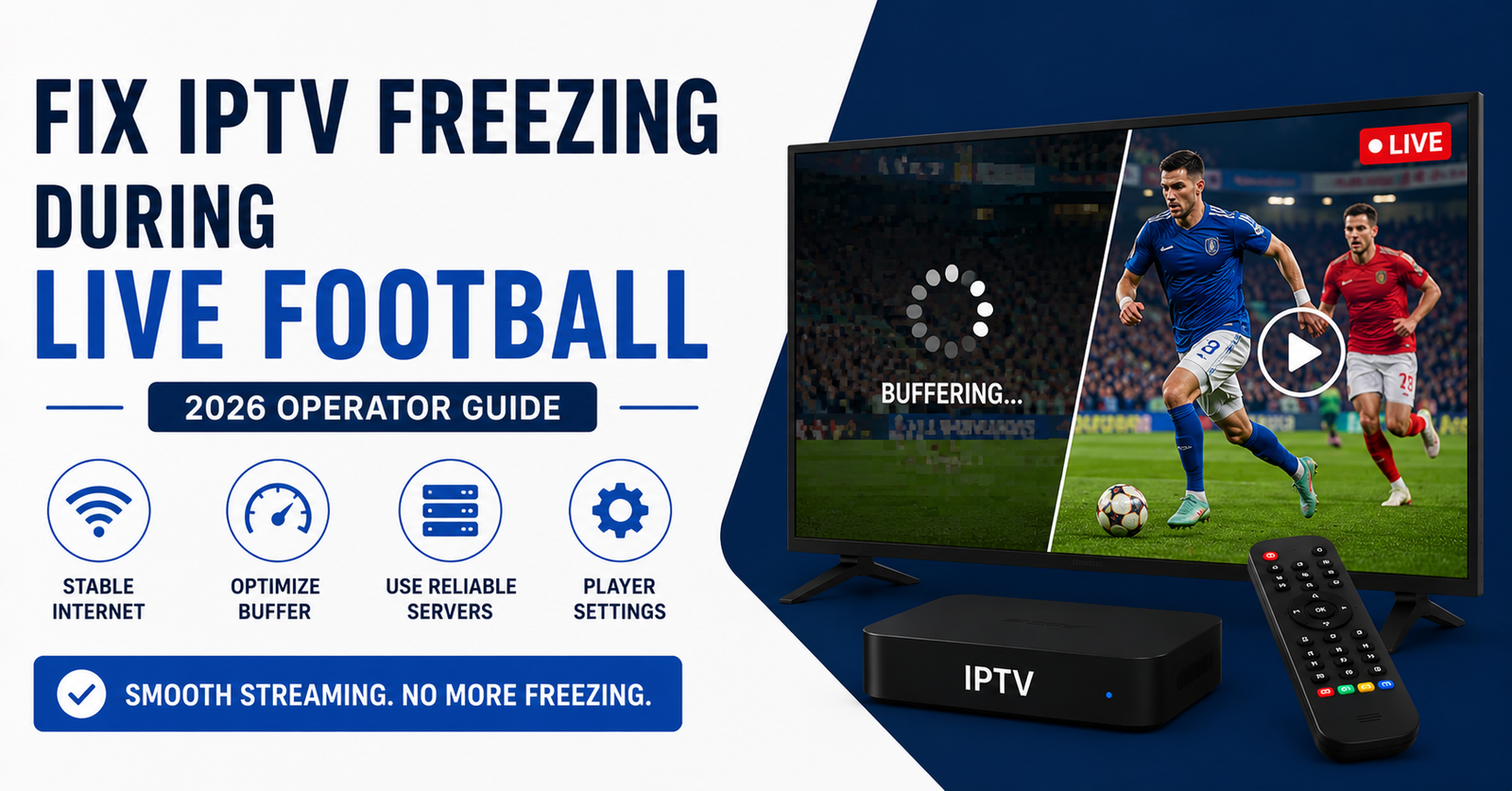

Saturday, 5:30 PM. Liverpool versus Arsenal. Your screen freezes on a goalmouth scramble, spins for nine seconds, and resumes just in time to show eleven players walking back to the centre circle. Someone scored. You have no idea who.
If you’ve lived that moment, you already understand the problem this guide solves. Learning to fix IPTV freezing during live football isn’t about one magic setting. It’s about understanding why football breaks streams in ways that a random Tuesday-night film never does. After more than a decade running UK IPTV reseller panels through enforcement waves, ISP throttling, and the chaos of every Premier League Saturday, I can tell you the freeze almost never starts where people think it does.
Let me walk you through what actually happens, in the order it actually happens.
The 3 PM Saturday Problem Nobody Warns You About
Football freezing is not a random fault. It’s a load event. Tens of thousands of UK viewers hit the same handful of channels in the same ten-minute window before kickoff. The infrastructure that streamed flawlessly all week suddenly faces a vertical traffic spike, and weak links snap under the weight.
Here’s the uncomfortable truth most providers won’t say out loud: a stream can be perfectly stable for a documentary and collapse during a match on the identical connection. Live football carries more motion, higher bitrate, and zero tolerance for delay. A two-second hiccup during a slow film is invisible. The same hiccup during a counter-attack is a frozen screen and an angry customer.
Pro Tip: If your IPTV only freezes during big football fixtures and never during regular programming, stop blaming your internet. The problem is almost certainly server-side load or routing, not your home broadband. I’ve watched resellers waste weeks troubleshooting routers when the real fault sat three hops upstream.
So before you change a single setting, ask one question: does it freeze only during football, or always? That answer splits the entire diagnosis in two.
Read the Freeze Before You Fix It
Different freezes have different fingerprints. Misread the symptom and you’ll fix the wrong thing.
| What you see | Most likely cause | Where it lives |
|---|---|---|
| Spinning buffer wheel, then resumes | Bandwidth or server overload | Connection / source |
| Pixelated blocks then freeze | Packet loss, weak signal | Network path |
| Freezes only at kickoff times | Match-day server saturation | Provider infrastructure |
| Audio continues, video stalls | Decoder or device strain | Your hardware |
| Channel won’t load at all | DNS or portal failure | Routing / panel |
When a customer messages “it’s frozen,” that word means five different faults. The video-stalls-but-audio-plays case alone redirects you away from the network entirely and toward an underpowered streaming device. Spend thirty seconds identifying the fingerprint and you save thirty minutes chasing ghosts.
Your Connection Isn’t the Speed You Think It Is
A 100 Mbps broadband package does not mean 100 Mbps reaching your IPTV box during a Saturday rush. UK ISPs apply contention and, during peak evening and weekend hours, your real throughput to a streaming source can drop hard. Live football needs a stable 25 Mbps far more than it needs a headline 200 Mbps that wobbles.
Run a real test the right way:
- Test speed at kickoff time, not at 11 AM when the line is quiet
- Test over Wi-Fi and over a wired cable to the same device
- Watch the consistency, not the peak number, the line shouldn’t swing wildly
- Check whether a second device streaming HD at the same time triggers the freeze
That last point catches more households than any other. One person streaming football while another watches Netflix upstairs is a bandwidth collision, and football is the loser because it has zero buffer tolerance.
Pro Tip: Wi-Fi is the silent killer of football streams. The 2.4 GHz band is crowded with every neighbour’s router and microwave. If your box sits more than one wall from the router, an ethernet cable or a single powerline adapter fixes more “freezing” complaints than any server change. I’ve solved entire family households with a £15 cable.
Why a Cable Beats Every Setting Change
This deserves its own moment because it’s the highest-leverage, lowest-cost fix available. Wireless signal degrades through walls, competes for airtime, and drops packets the moment your microwave runs. Wired ethernet doesn’t negotiate, doesn’t share, doesn’t care about your neighbours.
If you take one thing from this entire guide before the next match: hardwire the device that streams football. Everything downstream of that decision gets easier.
The DNS and Routing Layer Most Viewers Never See
Here’s where it gets technical, kept in plain English. When you open a channel, your device asks “where do I find this stream?” That question travels through DNS. If the DNS response is slow, poisoned, or pointing at an overloaded node, your stream stutters before a single frame loads.
UK ISPs have grown aggressive with this. In 2026, ISP-level blocking and DNS interference around live sports has become routine rather than occasional, intensifying sharply during high-profile fixtures. We’ve watched streams that ran clean at 2 PM degrade the instant a marquee match kicked off, not because of bandwidth, but because traffic to certain routes got actively interfered with.
What this looks like on your end:
- Channels load fine at off-peak times but choke during big games
- Some channels work while others on the same service freeze
- The problem follows the fixture, not the time of day
A reputable provider engineers around this with backup uplinks, geo-routing, and multiple sources so that when one path degrades, traffic reroutes automatically. A cheap one runs a single source and prays. That single architectural difference is why two services at the same price can deliver completely different match-day experiences.
Pro Tip: If switching to a different DNS resolver on your router instantly improves football streaming, that’s your evidence the bottleneck was routing, not your connection. It also tells you your provider’s infrastructure is thin, because a properly diversified service shouldn’t be that sensitive to a single DNS change.
Cheap Infrastructure Versus Real Infrastructure
Most freezing during live football traces back to one decision: where the stream comes from. This is the difference you’re actually paying for, even if no one ever shows it to you.
| Cheap setup | Properly built infrastructure |
|---|---|
| Single stream source | Multiple redundant sources |
| No failover, one point of failure | Automatic failover on degradation |
| Buckles under match-day load | Load-balanced across nodes |
| Single uplink | Backup uplinks and geo-routing |
| Nobody watching at kickoff | Active monitoring during fixtures |
| Cheapest possible bitrate | Bitrate that survives motion |
A service that never invested in failover will freeze during the biggest matches. Not might. Will. Because the biggest matches are precisely when a single source gets overwhelmed and there’s nothing to fall back to.
What the Device Itself Contributes
Cheap Android boxes are responsible for more freezing than their owners ever suspect. An underpowered processor or a box choked with junk apps simply can’t decode a high-bitrate football stream in real time. The tell is unmistakable: audio keeps playing while the picture stalls. That’s a decoder falling behind, not a network problem.
A practical match-day device routine:
- Close every other app before kickoff, free the memory
- Clear the player app’s cache if the box has been running for weeks
- Reboot the box fully an hour before a big match
- Check the box isn’t overheating, heat throttles the processor and stutters video
- Keep the player app updated, old decoders handle modern streams badly
Pro Tip: Set your player to a slightly larger buffer before a major fixture. A bigger buffer absorbs brief network dips that would otherwise show as a freeze, trading a second of startup delay for ninety minutes of smoother football. Most viewers never touch this setting and never realise it exists.
A Match-Day Failure I See Every Single Season
During one Champions League quarter-final night, a reseller running our panel watched complaints flood in at kickoff and dry up at half-time, then return for the second half. Classic load saturation, the source couldn’t hold the concurrent count when everyone tuned in at once. The fix wasn’t on any customer’s end. It was rebalancing across additional nodes and adding a backup uplink. The freezing vanished the next match week.
The lesson for viewers: if a freeze times itself precisely to kickoff and half-time across multiple people, no router reboot in the world will fix it. The fault is upstream, and the only real solution is a provider whose infrastructure was built for the spike.
What This Means If You Run a Panel
This section is for the operators. If you’re an IPTV reseller, live football is your single biggest churn risk and your biggest revenue moment, on the same afternoon. The subscriber who freezes during a marquee fixture doesn’t open a support ticket. They quietly leave and tell their group chat.
After reviewing thousands of reseller support requests, the pattern is brutally consistent: complaint volume for any IPTV reseller spikes at exactly 3 PM Saturday and during midweek European nights. A reseller panel that looks fine on a quiet Wednesday tells you nothing about how it performs under match-day concurrency. The credit reseller who never stress-tests before a big fixture finds out the hard way, in front of every customer at once.
What separates resellers who retain customers from those who bleed them:
- The serious IPTV operator stress-tests the reseller panel before the fixture, not during
- A smart panel owner monitors actively at kickoff instead of waiting for complaints
- Every experienced IPTV business owner keeps a backup source ready to failover
- The reseller who survives sets honest expectations rather than promising flawless 4K on a budget tier
Pro Tip for resellers: Watch your own service during the biggest fixture of the week, as a customer would, on a normal device. The panel owner who experiences the freeze before their subscribers do is the one who keeps their base. Every sub-reseller under you inherits your infrastructure quality, so weakness at the top multiplies downward across the whole distribution network.
A reseller panel built on a single source will always expose its weakness during football. Panel credits are easy to sell; reliable match-day delivery is what actually retains the customer who bought them. If you’re evaluating where to anchor your business, infrastructure depth matters far more than the headline credit price, something worth weighing before you commit, as outlined in the UK IPTV reseller resources at britishseller.co.uk.
A Pre-Kickoff Checklist That Actually Works
Run this in the thirty minutes before a big match:
- Hardwire the streaming device, or sit it beside the router
- Reboot the box, clear the player cache
- Close other apps and pause other household streaming
- Confirm no large downloads or updates are running
- Open the channel five minutes early to confirm it loads
- Slightly increase the player buffer if your app allows it
Six steps, ten minutes, and the overwhelming majority of household-side freezing disappears before the whistle.
Frequently Asked Questions
Why does my IPTV keep freezing during live football but works fine otherwise?
Live football creates a massive simultaneous traffic spike and carries higher bitrate and motion than normal programming. If you only experience IPTV freezing during live football and not at other times, the cause is almost always server-side load or routing on the provider’s end, not your home connection.
How do I fix IPTV freezing during live football at home?
Start with your setup: hardwire the device with ethernet, reboot the box before kickoff, close other apps, and pause other household streaming. If freezing still times itself to kickoff across the whole match, the fault is upstream infrastructure and only a provider with proper failover can fix it.
Is the freezing caused by my internet or my provider?
Test your speed at kickoff time, not off-peak. If your connection is stable and football still freezes precisely during big fixtures, it points to the provider. A stream that’s fine for films but freezes during matches on the same line is an infrastructure problem, not a broadband one.
Will a VPN stop IPTV freezing during live football?
Sometimes. If your ISP is throttling or interfering with sports traffic, a VPN can bypass that and smooth the stream. But if the freeze comes from an overloaded source on the provider’s side, a VPN won’t help and may add latency. Test it during one match to see which case applies to you.
What internet speed do I actually need for live football?
A stable 25 Mbps reaching the device is enough for HD football. Consistency matters far more than peak speed. A wobbly 200 Mbps line freezes more than a rock-steady 30 Mbps one, because football has no tolerance for the brief dips that wireless connections produce.
As an IPTV reseller, how do I stop customers complaining about football freezing?
Stress-test your reseller panel before the fixture, not during it. Monitor actively at kickoff, keep a backup source ready to failover, and choose infrastructure built for concurrency over the cheapest panel credits. A panel owner who experiences match-day load before subscribers do is the one who retains them.
Does a more expensive IPTV service freeze less during football?
Not because of price itself, but because of what the price buys. Services with multiple sources, automatic failover, and active match-day monitoring genuinely freeze less. A cheap single-source service will always expose its weakness during the biggest fixtures, regardless of how good it looks on a quiet evening.
Conclusion
If you remember nothing else, remember this: the moment matters more than the method. To fix IPTV freezing during live football, you first have to know whether the fault is in your house or three hops upstream, because the two demand completely opposite solutions. Hardwire your box, reboot before kickoff, and pause competing streams, and you’ll clear every fault that lives on your end. But when the freeze times itself perfectly to kickoff and half-time, no setting on your device will save you. That’s infrastructure, and the only real fix is a provider whose architecture was built for the Saturday spike. Whether you’re a subscriber chasing a clean stream or an IPTV reseller trying to keep a base loyal, the principle is identical: football exposes weakness that ordinary viewing hides.
Execution checklists
Subscribers:
- Hardwire the streaming device before big matches
- Test connection speed at kickoff time, not off-peak
- Reboot the box and clear player cache pre-match
- Pause all other household streaming during the game
- Open the channel five minutes before kickoff to confirm
Resellers:
- Stress-test the reseller panel before every major fixture
- Monitor the service actively at kickoff, not after complaints
- Keep a backup source configured for automatic failover
- Watch your own stream as a customer during the biggest game
- Choose infrastructure depth over cheapest panel credits
Sub-resellers:
- Confirm your upstream panel owner has match-day redundancy
- Set honest reliability expectations with your customers
- Flag recurring kickoff-time complaints upward immediately
- Don’t oversell tiers your inherited infrastructure can’t deliver
The single most useful habit you can build is timing. A freeze that lands exactly at kickoff is telling you something a freeze at random never could: look upstream, not at your router. Read the timing, and you’ll fix the right problem the first time.