
IPTV EPG Not Working? Here’s What’s Actually Breaking Behind the Scenes
Three AM. A reseller messages you in a panic. His top customer just called — the program guide is blank across every channel. No titles, no schedules, just empty grids stretching into tomorrow. You open your own app to verify, and sure enough, the EPG is gone. Sound familiar?
If you’ve been in this game for more than a year, you’ve lived this scene. The IPTV EPG not working problem isn’t some rare glitch that hits once a quarter. It’s a chronic infrastructure pressure point that surfaces every single week somewhere in the reseller chain. And in 2026, with AI-driven ISP filtering and stricter XMLTV parsing standards, the failure rate has climbed sharply.
Most articles will hand you a checklist that says “restart your app” and call it solved. That’s not how this works. When IPTV EPG not working becomes a recurring issue, the cause is rarely on the client device. It’s upstream — buried in feed timeouts, malformed XML, expired cache headers, or a parent panel that quietly stopped pushing updates. This guide pulls apart every real-world layer so you stop guessing and start fixing.
I’ve watched panels lose 40% of their IPTV reseller base in a single weekend because nobody could explain why the IPTV EPG not working error kept returning. Don’t be that operator. Let’s get into it.
What an EPG Actually Is (And Why It Breaks More Than Streams Do)
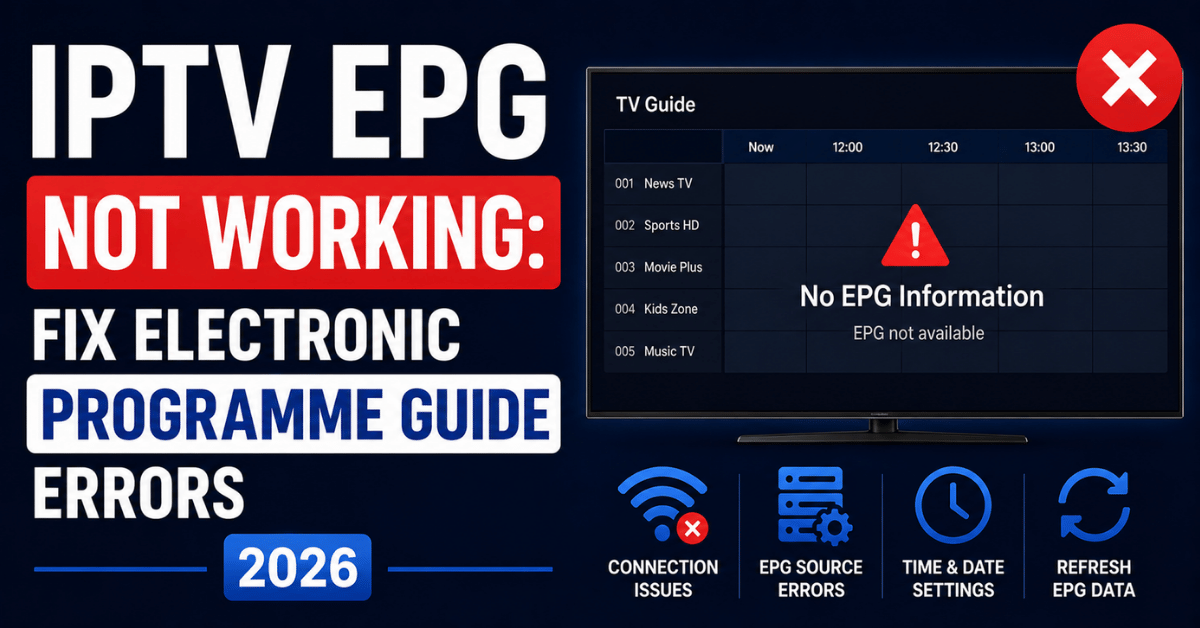
The Electronic Program Guide is a structured XML file — usually XMLTV format — that maps channel IDs to scheduled program data. It tells your app what’s airing now, what’s next, and what’s on across the next seven days. When you hear “IPTV EPG not working,” what’s really happening is a breakdown in one of five layers: source feed, parser, panel cache, delivery middleware, or client-side rendering.
Streams and EPG data travel completely separate paths. Your stream might be flawless while your guide is dead, because the EPG comes from a different URL, usually hosted on a different server, often refreshed on a different schedule. This separation is exactly why so many resellers misdiagnose the problem — they assume if streams play, everything is fine. It isn’t.
A working EPG depends on three things happening simultaneously: a clean source file, successful parsing into the panel’s database, and accurate channel ID mapping between the guide entries and the live channel list. Break any one of those, and you get the classic IPTV EPG not working failure pattern.
Pro Tip: Always treat your EPG infrastructure as a separate product from your streams. Monitor it independently. The single biggest mistake new resellers make is assuming “streams up = service healthy.” Your customers grade you on guide accuracy just as harshly as on playback quality.
The Five Root Causes Behind IPTV EPG Not Working in 2026
Let’s name them plainly, because vague diagnoses waste hours.
- Stale or 404’d source URLs — the XMLTV feed your panel pulls from has changed, expired, or been geo-blocked
- Channel ID mismatches — tvg-id values in your playlist don’t match the IDs inside the EPG XML
- Parser timeouts on oversized feeds — XML files over 200MB choking the panel’s import job
- Cache corruption on the middleware layer — the panel cached a broken refresh and never recovered
- Client app misconfiguration — wrong EPG URL set on Smarters, TiviMate, or the device player
Roughly 70% of the IPTV EPG not working tickets I’ve audited across multiple panels trace back to causes 1, 2, and 3. The other two get blamed first because they’re easier to test, but they’re rarely the actual culprit.
| Symptom | Likely Layer | First Thing to Check |
|---|---|---|
| All channels blank guide | Source feed dead | Parent EPG URL response code |
| Some channels show, others don’t | tvg-id mismatch | Playlist vs XMLTV ID alignment |
| Guide loads then disappears | Parser timeout / cache | Panel import logs |
| Works on one device, not another | Client-side config | App EPG URL field |
| Guide shows wrong programs | Timezone offset error | XMLTV offset values |
This table alone will save you about three hours of blind troubleshooting per incident.
Why Channel ID Mismatches Are the Silent Killer
Here’s something nobody talks about. When your IPTV EPG not working complaint involves “some channels show schedules, others don’t,” the issue is almost always the tvg-id attribute. Every channel in your M3U playlist carries a tvg-id. Every program entry in your XMLTV file references a channel ID. If those two strings don’t match exactly — including capitalization, spaces, and dots — the guide data for that channel will not bind.
Parent panels change these IDs more often than they admit. A supplier might rename “skysports.uk” to “sky-sports-uk.epg” during a backend migration, and unless you re-pull a fresh playlist matched to the new EPG, half your sports channels lose their guide overnight. Resellers panic, customers churn, and the root cause was a single hyphen.
Audit your tvg-id values monthly. Run a quick diff between your active M3U and the XMLTV channel declarations. Mismatches will jump out immediately. This one habit will eliminate the majority of recurring IPTV EPG not working tickets in any operation.
Pro Tip: Build a small script — even a basic Python or PHP cron job — that pulls both files weekly, extracts the channel ID columns, and emails you any new mismatches. Catching this drift early is the difference between fixing 4 channels and explaining to 400 customers why their guide is broken.
How Oversized XMLTV Feeds Crash Panel Parsers
Some EPG suppliers now ship feeds exceeding 500MB uncompressed, packed with seven days of metadata across thousands of channels. Most reseller panels — Xtream UI, certain custom builds, older middleware — were never engineered to parse files that large in a single import job. The result is a silent parser timeout. The panel logs show “import started” but never “import completed.” The guide silently goes stale.
When IPTV EPG not working coincides with a feed that recently grew in size, this is your suspect. The fix is usually one of three moves: switch to a compressed gzip version of the same feed (most suppliers offer both), split the EPG by channel category and import segments separately, or upgrade the parser memory allocation on your panel server.
Operators running on cheap shared VPS hardware hit this wall hardest. A 1GB RAM VPS will choke on a 300MB XML parse every single time. If your panel is consistently failing EPG imports, the answer isn’t more retries — it’s more memory or smaller feed segments.
Cheap Infrastructure vs Premium Infrastructure: The Real Difference
| Factor | Cheap Setup | Premium Setup |
|---|---|---|
| EPG refresh interval | 24+ hours, often skipped | 4–6 hours, monitored |
| Parser memory allocation | 512MB–1GB shared | 4GB+ dedicated |
| Source feed redundancy | Single supplier URL | 2–3 mirrored sources |
| Channel ID auditing | Manual, rare | Automated weekly diff |
| Failover EPG handling | None, guide stays broken | Auto-swap to backup feed |
| Monitoring | Reactive (customer complaints) | Proactive (alert before users notice) |
If your panel sits in the left column, the IPTV EPG not working problem isn’t a bug — it’s a feature of the architecture you chose. No amount of restarting will fix it. You need infrastructure that treats the EPG as a first-class asset, not an afterthought.
Client-Side Fixes: When the Panel Is Healthy but the App Isn’t
Sometimes the panel is fine. Other resellers on the same source are seeing full guides. The IPTV EPG not working issue is isolated to one customer or one device type. This is when you shift focus to the client app.
Different apps handle EPG URLs differently. Some pull the EPG URL automatically from the Xtream Codes API login. Others require manual entry of an external XMLTV URL. TiviMate, IPTV Smarters Pro, Smart IPTV, and the various Smarters forks each have quirks. A customer who manually entered an old EPG URL three months ago will continue pulling from that dead link forever unless you walk them through updating it.
For app-level IPTV EPG not working complaints, run this checklist:
- Confirm the app is on its latest version (older builds break with newer XMLTV schema)
- Clear the app’s EPG cache from within settings, not just the device cache
- Re-enter login credentials so the app re-fetches the current EPG URL from the API
- Force a manual EPG refresh and watch for error toasts during the pull
- Verify device timezone matches the EPG’s declared timezone
Pro Tip: Build a simple troubleshooting flow for your sub-resellers. Give them a copy-paste script to send customers when an IPTV EPG not working ticket comes in. Half of all client-side issues are fixed before they reach you, and your support load drops by 60% almost overnight.
The 2026 ISP Blocking Angle Nobody Mentions
Here’s something that’s spiking this year. AI-driven ISP filtering systems are now flagging XMLTV file requests in some regions, particularly across parts of Europe and the UK. The pattern recognition has gotten sharper — these systems can identify EPG-shaped XML traffic and throttle or block it at the gateway level. Customers report streams working fine while the IPTV EPG not working error persists, because the EPG fetch is being silently dropped.
The fix here isn’t on the panel side. It’s at the delivery layer. Operators serving regions with aggressive filtering should consider routing EPG fetches through encrypted CDN endpoints, rotating EPG hostnames periodically, and hosting backup uplink servers in jurisdictions with cleaner routing.
If your customer base is heavily concentrated in one ISP region and IPTV EPG not working complaints are clustering geographically, you’re seeing this in action. Don’t treat it as a per-customer issue. Treat it as a delivery architecture problem and respond at the infrastructure level.
Panel Credit Economics and Why EPG Quality Affects Churn
Resellers underestimate how much guide quality drives subscriber retention. Customers who paid for premium credits expect a guide that works. When IPTV EPG not working becomes a recurring complaint, churn climbs fast — often within the second month of subscription. A user might tolerate a five-second buffer once a week. They will not tolerate a blank guide three nights running.
In credit-based reseller economics, every churned subscriber represents lost panel credit revenue and lost recurring margin. If your EPG infrastructure costs you an extra $40/month in dedicated parser resources but saves you 15 subscribers from churning, you’ve gained between $150 and $300 in monthly revenue retention. The math always favors investing in EPG stability.
Treat your guide as a paid feature, not a bonus. Build your panel pricing and credit allocation around the assumption that customers are paying for it directly. This mental shift changes how seriously you invest in solving IPTV EPG not working incidents.
Backup Uplink Servers: The Insurance Policy Most Skip
Single-source EPG dependency is the single biggest mistake in reseller infrastructure. If your panel pulls XMLTV from one parent URL and that URL goes down, every customer loses their guide simultaneously. The IPTV EPG not working error blankets your entire base. Tickets pile up. Sub-resellers escalate. You scramble.
Backup uplink servers — secondary EPG sources from independent suppliers — solve this. Configure your panel to fall back to a mirrored XMLTV feed when the primary source returns a non-200 status code or fails to refresh within a defined window. The setup takes maybe two hours. The payoff is permanent.
Most premium reseller panels in 2026 support multi-source EPG configuration natively. If yours doesn’t, that’s a strong signal it’s time to migrate. The cost of running redundant EPG sources is trivial compared to the cost of one major outage that breaks customer trust.
Scaling: When IPTV EPG Not Working Becomes a Capacity Problem
Once you cross roughly 5,000 active subscribers, EPG delivery itself becomes a load issue. Every connected app pulls the EPG file periodically. If 5,000 devices all hit your panel for a 200MB XMLTV file every six hours, that’s terabytes of monthly bandwidth dedicated purely to guide delivery. Slow downloads create timeouts. Timeouts create IPTV EPG not working complaints.
Scale-stage operators offload EPG delivery to a CDN. The XMLTV file gets pushed to edge nodes, and customer apps pull from the nearest geographic point. Latency drops, bandwidth costs drop, and timeout-driven failures effectively disappear.
If you’re below 5,000 subscribers, this isn’t urgent. Above that, it’s mandatory. Plan for it before you hit the wall, not after customers start churning.
Frequently Asked Questions
Why is my IPTV EPG not working only on certain channels?
This is almost always a tvg-id mismatch between your M3U playlist and your XMLTV file. The channel exists, the stream plays, but the guide data isn’t binding because the channel identifier strings don’t match exactly. Re-pull a fresh playlist from your panel that’s synchronized with the current EPG schema, and the affected channels should populate within one refresh cycle.
How often should EPG data refresh on a reseller panel?
A healthy refresh cycle runs every four to six hours. Anything longer than 12 hours creates visibly outdated program information, especially during live events that change schedules. If your panel only refreshes once daily, your customers are seeing stale data more often than fresh data, which generates avoidable IPTV EPG not working complaints.
Can I host my own EPG instead of relying on my parent panel?
Yes, and many serious resellers do exactly this once they cross a few thousand subscribers. Self-hosted XMLTV gives you control over refresh timing, channel ID consistency, and source redundancy. It requires a dedicated server with adequate RAM for parsing, but it removes your dependency on parent panel reliability entirely.
What does it mean when IPTV EPG not working shows “EPG unavailable” inside the app?
That specific message usually indicates the app successfully reached the EPG URL but received either an empty response, a malformed XML file, or a timeout during the download. Check the EPG URL directly in a browser. If it loads with valid XML content, the issue is on the app’s parsing side, not the server.
Is it normal for IPTV EPG not working to happen after a panel update?
Unfortunately, yes. Panel software updates frequently reset EPG configuration paths, clear caches, or migrate to new XMLTV schemas. Always verify EPG functionality immediately after any panel update and keep a record of your previous configuration values so you can restore them quickly if the update breaks something.
How do I check if the EPG source URL is actually working?
Open the URL directly in a web browser. A working XMLTV feed will either download as a file or display raw XML content. If you get a 404, a blank page, or a redirect to an unrelated domain, the source is dead and needs to be replaced. This 30-second check resolves about a third of reported issues.
Why does the guide show wrong program names at the wrong times?
This is a timezone offset error inside the XMLTV file. Each program entry carries a start and stop time with a timezone declaration. If the EPG was generated for one timezone but your customer’s device is set to another, the programs will display at incorrect times. Check the timezone metadata in your XMLTV file and align it with your target audience’s region.
Can a customer’s slow internet cause IPTV EPG not working errors?
Yes. EPG files are large, and slow connections will time out mid-download, leaving the app with partial or empty data. Customers on connections below 10Mbps frequently see this during peak hours. The fix is either a smaller, segmented EPG file or instructing the customer to trigger EPG refreshes during off-peak times when their bandwidth is less congested.
Reseller Success Checklist: Bulletproofing Against IPTV EPG Not Working
Execute these, in order, this week:
- Audit every active tvg-id in your M3U against your current XMLTV channel declarations and fix all mismatches
- Verify your parent panel’s EPG source URL returns a 200 status and valid XML when accessed directly
- Set your panel’s EPG refresh interval to 4–6 hours, not 24
- Configure at least one backup uplink EPG source with automatic failover
- Allocate a minimum of 4GB dedicated RAM to your panel’s parser process if you handle feeds over 200MB
- Build a sub-reseller troubleshooting script covering the top five client-side IPTV EPG not working scenarios
- Monitor EPG import logs daily and set alerts for failed imports rather than waiting for customer complaints
- For scale operations above 5,000 subscribers, push EPG delivery through a CDN edge layer
- Document your current EPG configuration values before any panel update so rollback takes minutes, not hours
- Partner with a stable upstream provider that treats EPG as a core deliverable — quality matters more than price when you compare options at britishseller.co.uk for reliable UK IPTV reseller-grade infrastructure
- Review this checklist monthly because EPG sources drift, channel IDs change, and what worked in January will need adjustment by April
Stop reacting. Start architecting. The resellers who survive the next wave of IPTV EPG not working incidents are the ones who built for it before it happened.